
Orbic phones have become popular in the budget device market, especially for those who want a simple smartphone without extra features. Yet, many users face problems with these phones, from software glitches to hardware issues. Understanding these problems can save you time and frustration. This article explains the most common Orbic phone problems, offers practical solutions, and helps you decide if an Orbic phone is right for you.
Common Orbic Phone Problems
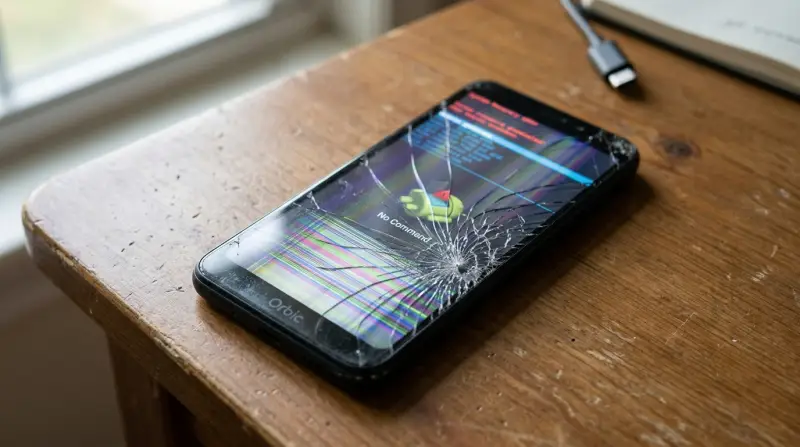
Many Orbic users report similar issues. Let’s look at the most frequent problems and why they happen.
Battery Drain
One of the most annoying issues is fast battery drain. Sometimes, the battery drops from 100% to 50% in just a few hours, even if you’re not using the phone heavily. This can be caused by:
- Background apps running
- Poor battery quality
- Screen brightness set too high
- Old software not optimized
The average Orbic phone battery is around 3000–3500 mAh. For basic use, this should last a day. However, many users report needing to charge their phones twice a day. This is much less than brands like Samsung or Motorola, which often last longer.
Slow Performance
Another common complaint is slow performance. Orbic phones often use entry-level processors and 2–3 GB RAM. This means the phone can lag when opening apps, switching screens, or playing videos. Over time, as the phone gets more updates and apps, it can become even slower.
- Opening the camera can take up to 5–10 seconds.
- Scrolling social media may freeze for a few seconds.
- Games often crash or do not run smoothly.
Connectivity Problems
Many Orbic phone owners face Wi-Fi and Bluetooth issues. Sometimes, the phone cannot find networks, or connections drop unexpectedly. This is frustrating if you rely on your phone for work or school.
- Wi-Fi drops when moving rooms
- Bluetooth disconnects from headphones
- Mobile data is slow or unreliable
These problems can be caused by weak antennas, poor software, or network settings.
Screen Issues
The screen quality on Orbic phones is usually basic. Some users see:
- Flickering screens
- Ghost touches (the screen reacts when not touched)
- Low brightness outdoors
- Washed-out colors
Compared to other phones, Orbic screens are less sharp and less bright. This can make watching videos or reading messages difficult in sunlight.
App Compatibility
Because Orbic phones run on Android with limited hardware, some apps don’t work well. Users report:
- Apps not opening or crashing
- Updates not installing
- Limited support for new games
This often happens because the phone’s processor and RAM do not meet the app’s requirements.
Audio Problems
Audio issues are also common. You might notice:
- Low speaker volume
- Crackling during calls
- Microphone not working
This makes phone calls and listening to music less enjoyable.
Camera Quality
Most Orbic phones have basic cameras. Photos may look blurry, have poor color, or be noisy in low light. The average Orbic camera is 8–13 MP, compared to 48–64 MP on mid-range phones.
Here’s a quick comparison:
| Brand | Camera Resolution | Photo Quality |
|---|---|---|
| Orbic | 8–13 MP | Basic, noisy |
| Samsung A Series | 48–64 MP | Clear, colorful |
| Motorola Moto G | 50 MP | Sharp, good color |
Overheating
Some Orbic phones get hot quickly when charging, streaming videos, or using GPS. Overheating can damage the battery and slow down the phone.
Troubleshooting Orbic Phone Problems
If you have an Orbic phone, there are steps you can try before replacing it.
Fixing Battery Issues
- Check background apps: Close apps you’re not using.
- Lower screen brightness: Keep it at 50% or less.
- Update software: New updates can improve battery life.
- Turn off location/GPS: Use only when needed.
Sometimes, battery drain is caused by a faulty battery. If your phone is under warranty, ask for a replacement.
Improving Performance
- Clear cache: Go to settings and clear app cache.
- Uninstall unused apps: Free up RAM.
- Restart phone: Regular restarts help speed up the device.
Avoid installing heavy apps or games that need more RAM than your phone has.
Solving Connectivity Issues
- Restart Wi-Fi router: Sometimes the router is the problem.
- Forget and reconnect to networks: This resets the connection.
- Update network settings: Check for updates in your phone’s settings.
If Bluetooth drops, try pairing devices again, and keep them close together.
Handling Screen Problems
- Clean the screen: Dust can cause ghost touches.
- Check for software updates: Sometimes updates fix screen glitches.
- Change screen settings: Adjust brightness and color.
If the screen flickers, it may be a hardware problem and need repair.
Dealing With App Issues
- Update apps: Make sure they are the latest version.
- Clear app data: Sometimes data gets corrupted.
- Use lighter apps: Lite versions use less memory.
Audio Troubleshooting
- Check volume settings: Make sure volume is turned up.
- Clean speaker and microphone: Dust can block sound.
- Test with headphones: If sound works, the speaker may be damaged.
Camera Solutions
- Clean the lens: Dirt can blur photos.
- Use the default camera app: Third-party apps may not work well.
- Try outdoor photos: Better lighting helps quality.
Overheating Fixes
- Remove phone case: Helps the phone cool down.
- Stop charging when hot: Let the phone rest.
- Close unused apps: Fewer running apps means less heat.

Comparing Orbic Phones To Other Brands
To understand Orbic phone problems better, it helps to compare them to other popular brands.
| Brand | Average Price | RAM | Battery Life | Support |
|---|---|---|---|---|
| Orbic | $70–$150 | 2–3 GB | Short (less than a day) | Limited |
| Samsung | $150–$300 | 4–6 GB | Long (1–2 days) | Strong |
| Motorola | $120–$250 | 3–4 GB | Good (1 day) | Moderate |
Orbic phones are cheaper but have less RAM and battery life. Support is also limited, which can make solving problems harder.
Why Do Orbic Phones Have More Problems?
There are several reasons why Orbic phones face more issues than other brands:
- Budget parts: Orbic phones use cheaper materials and components.
- Limited updates: Software updates are less frequent, so bugs stay longer.
- Lower quality control: Fewer tests before shipping can mean more defects.
- Small support network: Harder to find repair centers or help.
These factors mean Orbic phones are more likely to have problems, especially after a year of use.
Is An Orbic Phone Right For You?
Orbic phones are best for:
- People who want a basic phone for calls and texts
- Those with a low budget
- Users who don’t need many apps or games
If you need a phone for heavy use, multitasking, or high-quality photos, Orbic may not be the best choice. Many users find the problems get worse over time, especially as new apps need more power.
Non-obvious Insights About Orbic Phone Problems
- Software updates matter more than you think: Many Orbic problems, like battery drain and slow performance, can be fixed with updates. Always check for updates, even if your phone is basic.
- Third-party accessories can cause issues: Cheap chargers or cases can make overheating and battery problems worse. Try to use Orbic-approved accessories.

Practical Tips For Avoiding Orbic Phone Problems
- Buy from reputable sellers: They offer better support and warranty.
- Check user reviews before buying: Look for comments about battery and performance.
- Keep your phone clean: Dust and dirt can cause screen and audio problems.
- Use your phone for its main purpose: Orbic phones are best for basic use, not for gaming or photography.
When To Get Professional Help
If your Orbic phone:
- Won’t turn on
- Has a broken screen
- Gets hot even when not in use
- Has battery swelling
It’s time to see a professional. Don’t try to fix these problems at home, as you could make things worse.

Frequently Asked Questions
Why Does My Orbic Phone Battery Drain So Quickly?
Battery drain is usually caused by background apps, high screen brightness, or old software. Try closing apps, lowering brightness, and updating your phone. If the battery still drains fast, it could be defective.
How Can I Speed Up My Slow Orbic Phone?
Clear app cache, uninstall unused apps, and restart your phone regularly. Avoid heavy apps or games. If your phone still lags, the hardware may be too weak for your needs.
Are Orbic Phones Good For Seniors?
Yes, Orbic phones are simple and affordable, making them good for seniors who only need basic features. However, problems like low battery and slow performance can frustrate some users.
What Should I Do If My Orbic Phone Overheats?
Remove the case, stop charging, and close unused apps. If your phone overheats often, check for software updates. Persistent overheating may need professional repair.
Where Can I Find Official Orbic Support?
Visit the official Orbic website or your carrier’s support page. For more information, check Verizon’s Orbic support page.
Orbic phones offer affordability but come with several challenges. If you’re ready for basic use and know how to handle common problems, they can be a good choice. However, for those who want reliability and better performance, it’s important to consider other options.
With the tips and comparisons above, you can make a more confident decision about your next phone.