
If your Simplehuman automatic soap dispenser suddenly stops working, it’s frustrating—especially when you expect touchless soap at a wave of your hand. This problem is common in homes, offices, and public spaces. But before you decide to buy a new dispenser, you can often fix the issue yourself. With a little patience and the right steps, many Simplehuman dispensers can be revived in a few minutes. This guide will walk you through the most effective solutions, share why these issues happen, and give you tips to prevent future breakdowns.
Understanding How Simplehuman Automatic Soap Dispensers Work
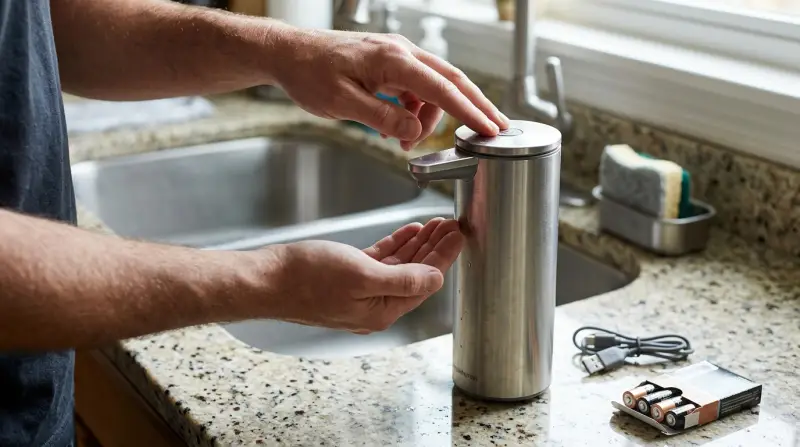
Simplehuman’s dispensers use infrared sensors to detect your hand. When activated, a small pump pushes soap through the nozzle. Most models are powered by AA batteries or a rechargeable lithium battery. The electronics, pump, and sensor need to work together for smooth operation.
Common Features
- Touch-free operation
- Adjustable soap volume
- Battery or USB power options
- LED indicators for status
Knowing these basics helps you troubleshoot and understand what might go wrong.
Most Common Problems And What They Mean
Before grabbing your screwdriver, it’s smart to identify the likely problem. Here are the main reasons why your Simplehuman automatic soap dispenser might not work:
- Dead batteries or power issues
- Soap clog or dried residue in nozzle
- Sensor blocked or dirty
- Pump malfunction
- Faulty or loose internal connections
- Liquid soap type not compatible
Each issue has clear signs. For example, if there’s no light at all, it’s probably a power issue. If the light blinks but no soap comes out, the pump or nozzle may be blocked.
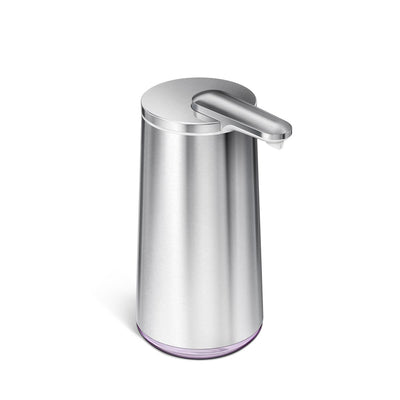
Quick-check Table: Symptoms And Likely Causes
Here’s a quick reference to match your dispenser’s behavior with possible issues:
| Symptom | Possible Cause | Quick Action |
|---|---|---|
| No lights, no sound | Dead batteries, loose power connection | Replace/charge batteries, check power cable |
| Light blinks, no soap dispensed | Soap clog, pump blocked | Clean nozzle, flush with warm water |
| Dispenses too little or none | Soap too thick, partial clog | Use Simplehuman soap or dilute slightly |
| Dispenses soap randomly | Dirty sensor, reflective countertop | Clean sensor, move unit |
Step-by-step Troubleshooting
Below are the most effective steps to diagnose and fix a Simplehuman automatic soap dispenser that isn’t working.
1. Check The Power Source
- For battery models, remove the battery cover and replace with fresh AA alkaline batteries. Avoid rechargeable AA batteries as they can have lower voltage.
- For rechargeable models, plug in the USB cable and ensure the charging light comes on. If not, try a different cable or power adapter.
- Look for corrosion on battery terminals. Clean with a cotton swab and a drop of vinegar if needed.
Common mistake: Not pressing the reset button after replacing batteries. If your model has a reset or power button, press it after changing batteries.
2. Clean The Sensor And Nozzle
- Gently wipe the sensor window (usually a dark plastic area) with a soft, damp cloth.
- Remove the soap tank and rinse the nozzle with warm water. Do not use hot water, as it can warp plastic parts.
- If dried soap blocks the nozzle, soak it in warm water for 10-15 minutes, then pump clean water through.
Non-obvious insight: Even clear soap can leave a film on the sensor, causing false triggers or no activation. Regular cleaning prevents this.
3. Try A Factory Reset
Some Simplehuman models allow a factory reset:
- Turn off the dispenser.
- Hold down the power button for 5-10 seconds.
- Turn the unit back on.
A reset can clear software glitches that cause random behavior.
4. Test With The Right Soap
Simplehuman dispensers are optimized for their own Simplehuman brand soap, which is thinner than many supermarket brands. If you use a thick or gel soap, dilute it with a small amount of water (start with 1 part water to 4 parts soap).
Common beginner mistake: Using dish soap or hand sanitizers with gel beads, which can clog the pump.
5. Unclog The Pump Mechanism
If the dispenser hums but no soap comes out, the pump may be clogged:
- Empty the soap tank.
- Fill with warm water (not boiling).
- Run several dispense cycles to flush out residue.
- Repeat until flow returns to normal.
If you still hear the motor but nothing dispenses, the internal pump tube might be blocked. Gently clean with a pipe cleaner if accessible.
6. Inspect For Internal Damage
If your dispenser was dropped or exposed to water inside the electronics, internal damage is possible. Check for:
- Loose wires or connectors (only if you’re comfortable opening the unit)
- Signs of water inside the battery compartment
If you find moisture, dry with a hair dryer on cool air for a few minutes. Do not use hot air.
Comparing Simplehuman Models
Not all Simplehuman dispensers are the same. Some use different pumps, sensors, or power systems. Here’s a quick comparison of popular models:
| Model | Power Type | Soap Compatibility | Special Features |
|---|---|---|---|
| ST1043 | Rechargeable | Simplehuman or thin liquid soap | Volume control, silicone valve |
| ST1070 | AA Batteries | Simplehuman or diluted soap | Wall mountable |
| ST1023 | Rechargeable | Simplehuman only | Touch-free, no-drip |
If you’re troubleshooting, always check your exact model number (usually on the base) and consult the Simplehuman website for model-specific guides.
When The Problem Is More Serious
Some issues can’t be fixed at home. If you see these signs, professional repair or replacement may be necessary:
- No lights or motor sound after changing batteries and cleaning
- Corroded or broken internal wires
- Water damage inside the main electronics
Simplehuman offers a 2-year warranty on most dispensers. If your unit is still under warranty, contact their support for a replacement or repair.

Preventing Future Breakdowns
To keep your Simplehuman soap dispenser working smoothly:
- Use only Simplehuman liquid soap or approved alternatives
- Clean the sensor and nozzle every two weeks
- Change batteries at the first sign of slow dispensing
- Avoid placing the dispenser in direct sunlight or near water splashes
- Keep the charging port dry and clean
If you have hard water, mineral buildup can block the pump. Rinsing with distilled water every month helps prevent this.
How To Contact Simplehuman Support
If you’ve tried everything and your dispenser is still not working, reach out to Simplehuman customer service:
- Visit their official support page: Simplehuman Contact
- Have your model number, purchase receipt, and serial number ready
- Describe the steps you’ve already tried
Their team can guide you through warranty service or recommend next steps.

Why Do Simplehuman Dispensers Fail More Often With Certain Soaps?
One of the most overlooked reasons for failure is soap type. Many people use thick or creamy soaps not designed for automatic dispensers. These can gum up the pump and block the sensor area. Even when it works at first, over time the dispenser slows or stops.
Simplehuman’s own soap formulas are tested for viscosity, which keeps the pump working. If you want to use other brands, always dilute thick soaps and test with water first.
Real-world Example: Fixing A ‘dead’ Dispenser
Let’s say your Simplehuman dispenser stopped working after a year. There’s no response, even with new batteries. Here’s how one user fixed it:
- Removed the batteries and checked for corrosion—found green residue.
- Cleaned the contacts with vinegar and a cotton swab.
- Let the compartment dry completely.
- Inserted new batteries and pressed the reset button.
- Dispenser powered on, lights flashed, and soap dispensed normally.
This example shows that battery corrosion is a common hidden problem. If you catch it early, you can save your dispenser.
Cost Of Repair Vs. Replacement
Sometimes, a replacement is cheaper than repair—especially if the main circuit board fails. Here’s a basic breakdown:
| Problem | Typical Repair Cost | Replacement Cost |
|---|---|---|
| Battery/contact cleaning | $0 (DIY) | – |
| Pump replacement | $20-30 (parts + labor) | $50-70 (new unit) |
| Main board failure | $40-60 (rarely worth it) | $50-70 (new unit) |
Straight-to-the-point tip: If repair costs more than half the price of a new dispenser, replacement is usually smarter.
What Makes Simplehuman Dispensers Reliable (when Cared For)
Simplehuman dispensers are popular because they’re:
- Hygienic (no touch)
- Modern in design
- Easy to refill and clean
However, like all technology, they need regular care. The biggest difference between a unit that lasts years and one that fails early is maintenance. Using the right soap, cleaning the sensor, and keeping the power source fresh can add years to your device’s life.
Frequently Asked Questions
What Type Of Soap Works Best In Simplehuman Dispensers?
Simplehuman’s own liquid soap is best, as it’s formulated for their pumps. If you use another brand, choose a thin, non-gel soap. Dilute thick soaps with a bit of water for reliable dispensing.
How Often Should I Clean My Simplehuman Dispenser?
Wipe the sensor area and nozzle every two weeks. Clean the inside with warm water if you notice slow or uneven dispensing. Regular cleaning prevents clogs and sensor errors.
Why Does My Dispenser Turn On By Itself?
This usually means the sensor is dirty or there’s a reflective surface nearby. Clean the sensor window, and avoid placing the unit on shiny countertops or near direct sunlight.
My Dispenser Makes Noise But No Soap Comes Out. What Should I Do?
This means there’s likely a soap clog or the soap is too thick. Empty the tank, flush with warm water, and try again. Use only approved soap types and avoid gel or scrub soaps.
Where Can I Get Official Help Or Replacement Parts?
Visit the Simplehuman Contact page for warranty support, replacement parts, and troubleshooting guides.
Keeping your Simplehuman automatic soap dispenser in top shape is easy if you follow these steps. With a little care and the right troubleshooting, you can avoid most common problems and enjoy convenient, hygienic soap dispensing for years.