
When your Samsung dishwasher won’t turn off, it’s more than just an inconvenience—it can lead to wasted energy, higher bills, and even damage to your appliance. Many people face this issue and feel confused about what to do next. In this article, you’ll discover the main reasons why your Samsung dishwasher stays on, how to fix it, and what you should avoid. Whether your appliance is new or old, you’ll get practical advice you can use right away.
Why Your Samsung Dishwasher Won’t Turn Off
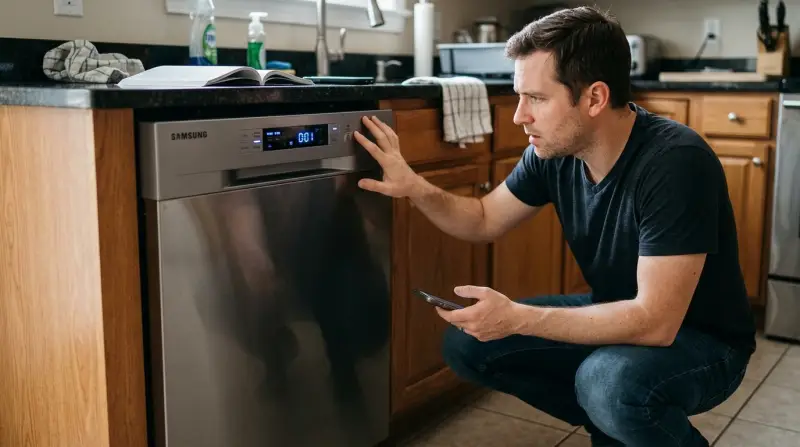
When a Samsung dishwasher keeps running, the cause is usually electrical, mechanical, or software-related. Understanding these can help you fix the problem faster.
Common Causes
- Faulty Door Latch or Sensor: If the door sensor doesn’t detect the door is closed, the machine may keep running or refuse to shut down.
- Stuck Control Panel: Sometimes, the control board gets stuck, causing cycles to repeat or not end.
- Software Glitch: Modern dishwashers use digital controls, which can malfunction.
- Electrical Problems: Issues with the power supply or wiring can prevent the dishwasher from turning off.
- Drainage Issues: If water isn’t draining, the dishwasher may keep trying to finish the cycle.
Example Scenario
Imagine pressing the power button, but nothing happens. The lights stay on, and the motor keeps humming. This is a clear sign of an internal problem—not just a simple user mistake.
Diagnosing The Problem: Step-by-step
Before calling a technician, try these steps. Most users can solve simple issues on their own.
Step 1: Power Cycle The Dishwasher
Turn off the dishwasher by unplugging it or switching off the circuit breaker. Wait about 5 minutes. Plug it back in. This can reset the control board and fix minor glitches.
Step 2: Check The Door
Inspect the door latch and door sensor. If the door doesn’t close properly, or the sensor is dirty, the dishwasher may not respond to the power button.
Step 3: Examine The Control Panel
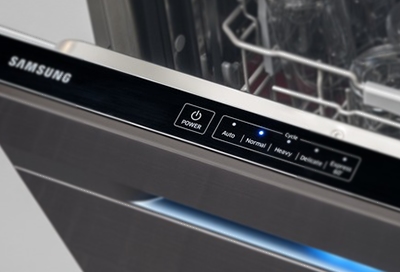
If buttons are sticky or unresponsive, clean the panel gently. Sometimes, a child lock may be active. Check your manual for instructions to disable it.
Step 4: Look For Error Codes
Samsung dishwashers display error codes. These codes can tell you what’s wrong. For example, “E3” means a heating problem, while “E9” means a drainage issue. Look up codes in your manual or online.
Step 5: Inspect The Drainage System
If water remains inside, check the drain hose and filter for clogs. A blocked drain can force the dishwasher to keep running.
Step 6: Test The Power Supply
Loose wires, faulty outlets, or power surges can cause malfunctions. Try plugging another device into the same outlet to check.
Credit: www.youtube.com
Comparing Samsung Dishwasher Models
Different models have unique features and quirks. Here’s a simple comparison of three popular Samsung dishwashers:
| Model | Control Type | Common Issues | Reset Method |
|---|---|---|---|
| DW80R9950US | Touch Panel | Panel glitches, door sensor | Power cycle |
| DW80M2020US | Button Panel | Button stuck, drain issue | Manual reset |
| DW80K5050US | Hybrid Panel | Drainage, software bug | Power cycle |
Knowing your model helps when searching for solutions.
How To Fix A Samsung Dishwasher That Won’t Turn Off
If your Samsung dishwasher stays on, try these practical fixes.
Reset The Dishwasher
Most Samsung dishwashers can be reset. To do this:
- Turn off the power at the circuit breaker.
- Wait at least 5 minutes.
- Turn the power back on.
This resets the control board, clearing most software bugs.
Clean The Door Sensor
The door sensor is often overlooked. Use a soft cloth to clean the sensor and the latch area. If the sensor is broken, you may need a replacement.
Check For Child Lock
Some Samsung dishwashers include a child lock feature. If activated, the dishwasher may ignore power-off commands. Look for a lock symbol on the display. Press and hold the designated button for 3 seconds to disable the child lock.
Unclog The Drain
A blocked drain can cause endless cycles. To fix:
- Remove the bottom rack.
- Locate the filter and drain hose.
- Clean out debris and food particles.
- Reassemble and try turning off the machine.
Replace The Control Board
If all else fails, the control board may be faulty. This is a more advanced fix and usually requires a professional. Control boards cost between $100–$250, depending on the model.
Data: Samsung Dishwasher Repairs
To help you understand the issue better, here’s a table showing average repair costs and frequency for common Samsung dishwasher problems:
| Problem | Repair Cost (USD) | Frequency (%) | DIY Possible? |
|---|---|---|---|
| Door Sensor | $40–$120 | 25 | Yes |
| Control Board | $100–$250 | 15 | No |
| Drainage | $50–$150 | 30 | Yes |
| Software Glitch | $0 (Reset) | 20 | Yes |
| Power Supply | $75–$200 | 10 | No |
Most issues can be solved without professional help, but for control board and power supply problems, expert repair is safer.
Advanced Troubleshooting Tips
Many guides stop at basic fixes. Let’s go deeper for those who want to try advanced steps.
Inspect Wiring
If your dishwasher is hardwired, check the wiring connections behind the unit. Loose wires can cause erratic behavior. Turn off the power first. If you’re not comfortable with electrical work, call a professional.
Update Firmware
Some Samsung dishwashers allow firmware updates. This is rare, but if your model supports it, updating can fix software bugs. Check the Samsung website for instructions.
Replace Door Latch
If the latch is broken or worn out, the dishwasher may not turn off. Replacement parts are available online. Make sure to buy the exact match for your model.
Monitor Cycle Time
Samsung dishwashers usually run for 1–2 hours per cycle. If yours runs longer, it could be stuck in a loop. Keeping a timer helps you spot abnormal behavior.
Credit: www.samsung.com
Comparison: Samsung Vs Other Brands
How does Samsung compare to other popular dishwasher brands when it comes to power-off problems? Here’s a quick comparison:
| Brand | Turn-Off Issues (%) | DIY Fix Success (%) | Average Repair Cost (USD) |
|---|---|---|---|
| Samsung | 13 | 55 | $120 |
| LG | 8 | 60 | $110 |
| Whirlpool | 7 | 70 | $130 |
| Bosch | 5 | 75 | $150 |
Samsung dishwashers have slightly higher turn-off issue rates, but most users can fix the problem themselves.
When To Call A Technician
If you’ve tried all the above and your Samsung dishwasher still won’t turn off, it’s time for expert help. Signs you need professional repair:
- Burning smell from the dishwasher
- Error codes that won’t clear
- Water leaking onto the floor
- Electrical sparks or loud noises
Many repairs are covered by Samsung’s warranty. Always check your warranty status before paying for service.

Credit: www.youtube.com
Preventing Future Problems
Taking care of your dishwasher helps avoid power-off issues. Here are some tips:
- Clean the filter every month.
- Inspect the door latch regularly.
- Update software if your model allows it.
- Avoid overloading the dishwasher.
- Use the right detergent to prevent residue buildup.
Most users ignore regular maintenance. This can lead to problems that seem random but are actually preventable.
Non-obvious Insights
- Humidity and steam can damage the control panel. Wipe down the panel after each use, especially in humid climates.
- Voltage fluctuations in your home can confuse the dishwasher’s electronics. Using a surge protector can help protect your appliance.
- Cycle interruption: If you open the door mid-cycle, the dishwasher may get stuck. Wait until cycles are complete before opening.
These points are often missed by beginners and can make a big difference in appliance life.
Frequently Asked Questions
What Does It Mean If My Samsung Dishwasher Keeps Running After The Cycle Ends?
It usually means there’s a problem with the control board, door sensor, or drainage system. Try resetting the dishwasher first. If it still doesn’t turn off, check for error codes or call a technician.
Can I Fix A Samsung Dishwasher That Won’t Turn Off Myself?
Yes, many issues like clogged drains, dirty sensors, or child lock activation can be fixed at home. For electrical or control board problems, it’s safer to call a professional.
Does A Software Glitch Cause Dishwashers To Stay On?
Modern dishwashers use digital controls, and software glitches are common. A simple power cycle can often fix the issue. If your model supports firmware updates, check the Samsung website for the latest version.
How Much Does It Cost To Fix A Samsung Dishwasher That Won’t Turn Off?
Most repairs cost between $40 and $250. Door sensors and drainage fixes are cheaper. Control board replacement is more expensive and usually requires a technician.
Where Can I Find Official Samsung Troubleshooting Guides?
You can find official guides at the Samsung website or visit Samsung Support for step-by-step instructions.
If your Samsung dishwasher won’t turn off, don’t panic. Follow these practical steps and tips, and in most cases, you’ll solve the problem quickly. If not, expert help is always available. Taking care of your appliance and understanding how it works will save you time, money, and stress in the long run.