
When your Insignia TV turns on but the screen is black, it can feel frustrating and confusing. The power light may glow, you might hear sound, but nothing appears on the display. This problem is more common than you may think, and it can have several causes. The good news? Many of these issues are fixable at home, sometimes in just a few minutes. Let’s explore why this happens, what you can do about it, and when it’s time to seek professional help.
Common Reasons For A Black Screen On Insignia Tv
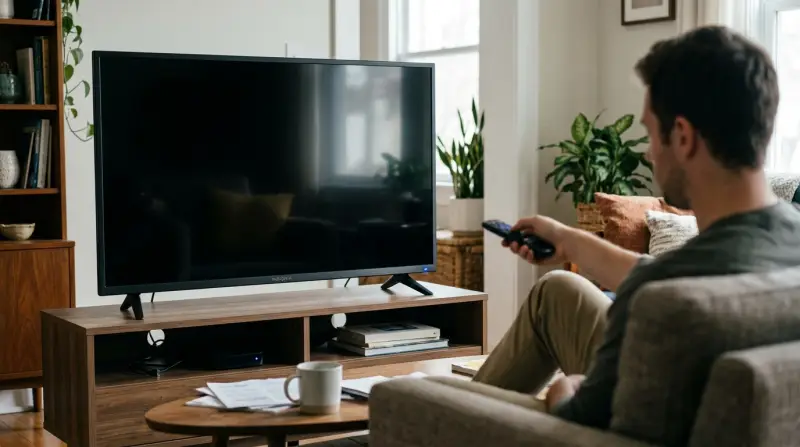
Understanding why the screen stays black—even when the TV powers on—can save you time and money. Here are the most frequent causes:
- Loose or damaged cables: If HDMI or power cables aren’t connected well, you can lose the picture.
- Input source issues: The TV might be set to the wrong input or source.
- Backlight failure: The screen stays black if the backlight is broken, even though the TV is working internally.
- Firmware or software glitch: Sometimes, a bug in the system software causes the display to freeze or go blank.
- Hardware faults: Problems with the mainboard, T-Con board, or screen panel can stop the display from working.
- Remote or power issues: The TV might seem on, but it’s actually in a standby or sleep mode.
Missing these details is a common beginner mistake. Many people overlook simple issues like the input source or cables and jump straight to replacing parts.
Quick Checks Before Troubleshooting
Try these fast checks before diving into more complex fixes:
- Ensure the power cable is firmly connected to both the TV and the wall outlet.
- Verify the HDMI or AV cables are plugged in tightly and not damaged.
- Press the Menu or Home button on the remote. If the menu appears, the problem is likely with the connected device (like a cable box or streaming stick), not the TV screen.
- Shine a flashlight at an angle on the screen. If you see a faint image, your TV’s backlight may be broken.
These steps help you quickly separate display issues from source or cable problems.
Credit: www.youtube.com
Step-by-step Solutions For A Black Screen
Let’s walk through the most effective ways to fix an Insignia TV with a black screen.
1. Power Cycle The Tv
Unplug the TV from the wall. Wait at least 60 seconds. Hold the TV’s power button (not the remote) for 30 seconds. Plug the TV back in and turn it on.
This resets the TV’s internal circuits and often fixes software glitches.
2. Check And Replace Cables
Inspect all cables for damage. Swap out HDMI cables with known working ones if possible. Make sure connections are tight.
Damaged or loose cables are a leading cause of display problems.
3. Verify The Input Source
Press the Input or Source button on the remote to cycle through the available inputs. Sometimes the TV is set to a source with no device connected.
If switching inputs brings back the picture, you’ve found the issue.
4. Test With Another Device
Connect a different device (like a DVD player, game console, or laptop) to the TV. If the new device works, the problem is with your original device or its cables—not the TV itself.
5. Adjust Backlight And Brightness Settings
If the screen is extremely dim or black, try increasing the brightness or backlight in the TV’s settings (if you can access the menu).
Some Insignia TVs have a setting to turn off the screen but keep audio playing (used for music listening)—make sure this isn’t enabled.
6. Factory Reset The Tv
If you can see menus, go to Settings > System > Reset to Factory Defaults. This erases all settings and returns the TV to its original state.
If you can’t see the menu, look for a small reset button on the back or side of the TV (use a paperclip to press it).
7. Update Firmware
Check the Insignia website or your TV’s system settings for firmware updates. Updating the software can fix bugs that cause display problems.
When The Issue Is Hardware
If none of the above steps work, you may be dealing with a hardware failure. The most common parts to fail are the backlight, T-Con board, or mainboard. Here’s how to tell:
- If you hear sound and see a faint image with a flashlight, the backlight is likely dead.
- If there’s no image at all, even with a flashlight, the problem could be the T-Con board or mainboard.
Repairing or replacing these parts usually requires some technical skill. For most people, contacting a professional repair service is the best choice.
Comparing Diy And Professional Repair
To help you decide whether to fix your TV yourself or hire an expert, here’s a comparison:
| Repair Option | Cost | Time Required | Risk | Success Rate |
|---|---|---|---|---|
| DIY (Cables/Reset) | $0–$20 | 10–30 mins | Low | High |
| DIY (Backlight/Boards) | $30–$120 | 1–2 hours | Medium–High | Moderate |
| Professional Repair | $100–$300 | 1–7 days | Low | High |
| Replace TV | $200–$800+ | Immediate | None | Guaranteed |
This table shows that simple fixes are usually fast, cheap, and safe. Advanced repairs are riskier unless you have experience.
Common Mistakes When Fixing A Black Screen
Many people make these errors when trying to repair their Insignia TV:
- Ignoring the input source and assuming the TV is broken.
- Not checking for firmware updates.
- Overlooking loose or faulty cables.
- Trying to fix the backlight or boards without proper tools or knowledge, which can cause further damage.
- Forgetting to test the TV with multiple devices.
By avoiding these mistakes, you increase your chances of a quick, successful fix.

Credit: www.reddit.com
Signs You Need A New Tv
While many black screen problems are fixable, sometimes replacement makes more sense. Watch out for these signs:
- The cost to repair (especially the screen panel) is more than half the price of a new TV.
- The TV is more than 5–7 years old.
- There are multiple recurring problems (audio, video, power).
- Replacement parts are hard to find or expensive.
In these cases, investing in a new TV may save you time and money in the long run.
Insignia Tv Screen Problems: Quick Reference
Here’s a quick reference guide to help you diagnose the most common Insignia TV screen issues:
| Symptom | Possible Cause | Suggested Fix |
|---|---|---|
| Black screen, power light on | Backlight failure, firmware glitch | Flashlight test, reset TV, check backlight |
| Black screen, no sound | Mainboard or power board issue | Check cables, seek repair |
| Black screen, faint image visible | Backlight failure | Replace backlight |
| Black screen, works with some devices | Input/source or cable issue | Change input, replace cables |

Credit: www.reddit.com
Preventing Future Black Screen Problems
Prevention is often easier than repair. Here are some tips to keep your Insignia TV running smoothly:
- Use a surge protector to avoid damage from power spikes.
- Keep the TV well-ventilated to prevent overheating.
- Update the firmware regularly to fix software bugs.
- Handle cables gently and replace them at the first sign of wear.
- Avoid leaving the TV on for long periods without use, which can wear out the backlight faster.
These habits can extend the life of your TV and reduce the chance of a black screen.
When To Contact Insignia Support
If you’ve tried all the above steps and your TV still shows a black screen, it’s time to reach out to Insignia customer support. Have your model number and purchase details ready. If your TV is still under warranty, repairs may be free or discounted.
You can find support resources and warranty information on the official Insignia Support page.
Frequently Asked Questions
Why Does My Insignia Tv Have Sound But No Picture?
This usually means the backlight is broken. You may hear the audio, but the screen stays black. Shine a flashlight at the screen; if you see a faint image, the backlight needs repair or replacement.
How Do I Reset My Insignia Tv If The Screen Is Black?
Unplug the TV, wait 60 seconds, then hold the power button for 30 seconds. Plug it back in and turn it on. If your model has a reset button on the back, use a paperclip to press it for 10–20 seconds.
Can A Software Update Fix A Black Screen?
Yes, sometimes a firmware update fixes bugs that cause display issues. If you can access the menu, update your TV’s firmware. If you can’t see the menu, you may need to update via USB or contact support.
Is It Expensive To Fix A Broken Tv Backlight?
The cost to repair a backlight on an Insignia TV usually ranges from $50 to $150, depending on the model and labor charges. If your TV is old or low-cost, buying a new one may be smarter.
How Can I Prevent My Insignia Tv From Getting A Black Screen Again?
Use a surge protector, keep the TV clean and ventilated, update the software, and avoid rough handling of cables. These steps help prevent both hardware and software problems.
If your Insignia TV turns on but shows only a black screen, don’t panic. With careful troubleshooting, you can often fix the problem yourself. Remember, the simplest solutions—like checking cables or resetting the TV—solve most cases. For more complex issues, professional help or a replacement may be the best path.
Taking care of your TV and acting quickly at the first sign of trouble can save you money and keep your home entertainment running smoothly.