
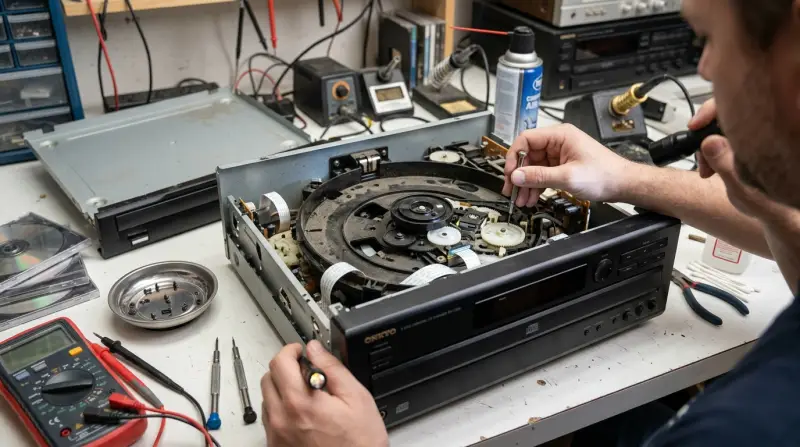
Most Onkyo DX-C390 problems result from a dirty laser lens or worn internal belts. These issues usually occur after years of consistent use and are often easy to fix with basic cleaning or minor mechanical adjustments. Listen for grinding sounds or “Disc Error” messages, and always check the Onkyo product support page for your manual before opening the casing.
Common Onkyo DX C390 problems
| Cause | How common | How to confirm it | Fix it yourself? |
|---|---|---|---|
| Dirty laser lens | Very common | Disc read errors | Yes |
| Stiff carousel belt | Common | Carousel stops moving | Yes with care |
| Worn loading gears | Occasional | Grinding noises | No |
| Misaligned mechanism | Occasional | Disc tray sticks | No |
| Blown internal fuse | Rare | Unit won’t power | No |
| Failed laser diode | Rare | No disc detected | No |
If your player skips during playback but the tray opens smoothly, focus exclusively on the laser lens. A simple cotton swab dampened with 99% isopropyl alcohol is usually enough to clear the dust. Don’t use water or household cleaners, as these leave a residue that permanently clouds the optical glass.
If the carousel stops mid-rotation, check the rubber belt first. If the belt feels brittle or leaves black streaks on your fingers, it has lost its tension. Replace it with a belt of the exact same diameter. Using a belt that’s too tight will strain the motor, while one that’s too loose will slip during operation.
If you hear a rhythmic clicking, the internal gears have likely stripped their teeth. This is a mechanical failure that requires precision alignment. Attempting to force the tray open when this occurs will snap the plastic guide rails, turning a minor repair into a total loss.
Dirty laser lens interference
A dirty laser lens is the primary reason this CD changer fails to recognize discs. Over time, household dust and airborne particles settle on the delicate glass lens inside the player. When this happens, the laser can’t focus on the data layer of the disc, which leads to the player skipping tracks or refusing to load a disc entirely.
You can confirm this by testing several different discs. If the player reads some discs but not others, or if it consistently displays “Error” regardless of the disc inserted, the lens is likely obscured. To fix this, you should use a clean, dry microfiber cloth or a dedicated lens cleaning disc. Use a small amount of isopropyl alcohol on a cotton swab and gently wipe the lens in a single, light, outward-to-inward motion. Don’t press hard, as the suspension holding the lens is very fragile.
This process usually takes about 15 minutes. If the player still fails to read discs after a thorough cleaning, the issue likely resides in the laser assembly itself, which is a component that typically requires professional replacement. This fix isn’t for those who are uncomfortable working with small electronic parts, as the internal components are delicate and sensitive to static electricity.
Stiff or loose carousel belts
A stiff or stretched drive belt is the most common reason the carousel fails to rotate. The Onkyo Dx C390 uses a rubber belt to drive the motor that moves the six-disc carousel. If this rubber belt loses its tension or becomes brittle due to age, the motor will spin, but the carousel won’t move to the next disc.
You can tell this apart from a lens issue because the player will attempt to change discs, but you’ll hear the motor whirring without the tray actually rotating. If you suspect this, look for a “Disc Error” or a mechanical stall message. To fix this, you must access the internal chassis. Once inside, locate the drive belt near the motor assembly. If the belt is loose, it must be replaced with an identical rubber belt of the same diameter.
This procedure requires a steady hand and usually takes about 30 to 45 minutes. If the belt is snapped, you must find a replacement that matches the original manufacturer specifications. This is a trade-off: you save the cost of a technician, but you risk damaging the delicate plastic gears if you force the carousel manually. This isn’t for anyone who has never worked on internal consumer electronics, as the internal ribbon cables are easily damaged.
Internal gear wear and misalignment
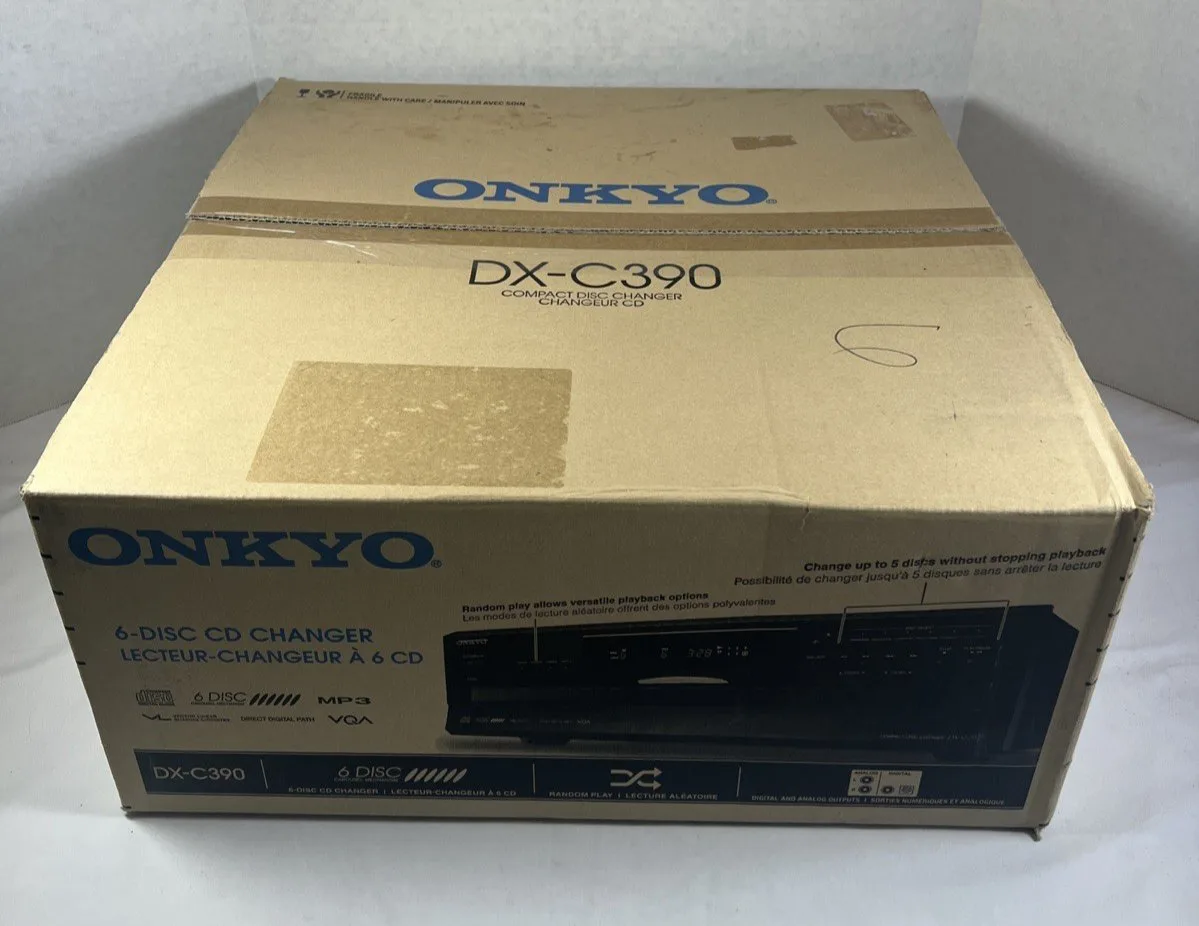
Mechanical wear on the plastic loading gears causes the disc tray or carousel to jam during operation. These gears are responsible for the precise movement of the tray as it slides in and out of the player. If these gears lose teeth or become misaligned, the tray will often stop halfway or make a loud clicking sound as it attempts to engage.
You can confirm this by observing the tray movement. If the tray moves unevenly or stops abruptly before it reaches the fully closed position, the gear mechanism is likely the culprit. To fix this, you would need to manually reset the timing of the gears, which involves aligning specific marks on the plastic wheels. This is a highly technical task that requires the service manual for your specific production run, as the alignment marks vary by model — check the label on the back of your player.
The time required for this can range from one hour to several hours if you’re inexperienced. If the gears are physically broken, you must source replacement parts, which are often difficult to find for older CD changers. This fix isn’t for the average user. It’s best to consult a qualified audio technician if you hear grinding or see broken plastic teeth inside the unit, as attempting to force the tray closed can cause permanent damage to the motor assembly.
The less likely causes
-
Blown internal fuse: The unit shows no lights and provides no sound, signaling a total power supply failure. Test the fuse with a multimeter set to continuity mode. If the meter remains silent, the fuse is blown. Never attempt this unless you’re trained in high-voltage electronics, as the capacitors can hold a lethal charge even when unplugged.
-
Failed laser diode: The motor spins, but the laser never attempts to focus. This is a permanent hardware failure. You must replace the entire optical pickup assembly.
-
Dried lubricant: The tray slides slowly or sticks intermittently. This happens when factory grease hardens over time. Apply a tiny drop of white lithium grease to the plastic rails. Avoid WD-40, which attracts dust and causes the mechanism to seize permanently within months.
-
Faulty power switch: The unit fails to turn on even when the outlet is confirmed to be working. If the power cable is secure, the internal contact switch has likely oxidized. A professional must solder a replacement switch to restore connectivity.
What a fix usually involves
Fixing the Onkyo Dx C390 involves either simple maintenance or complex component replacement. If your issue is a dirty lens, the fix requires only a small amount of isopropyl alcohol and a cotton swab, which is a very low-cost repair. If the problem is a worn belt, you’ll need to purchase a specific rubber belt, which is a small part but requires time and patience to install. In these cases, the cost is mainly your time.
However, if the issue involves internal gears or a failed laser diode, the fix becomes more expensive. You’ll likely need to pay for professional labor, which can represent a large portion of the price of a used replacement unit. Before starting any repair, check the official documentation or the manufacturer’s website for your specific version, as internal layouts change. If you’re uncertain about the difficulty, ask a local audio repair shop for a quote first. Comparing the cost of a professional repair against the market value of a working unit is the best way to decide if you should proceed.
Frequently asked questions
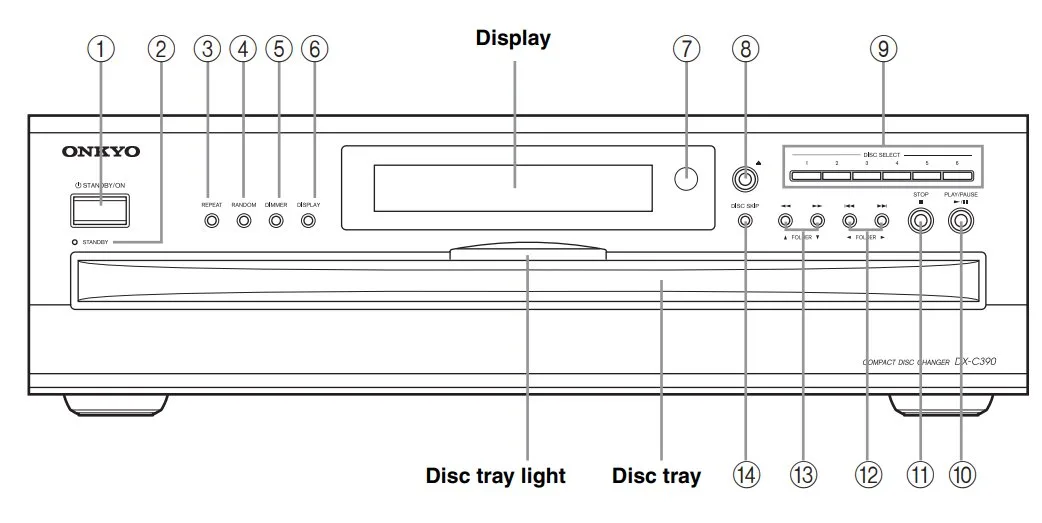
Can I fix a jammed disc tray myself?
Yes, you can often fix a jammed tray if the cause is a simple obstruction or a loose belt. Start by unplugging the unit and checking for any debris blocking the track. If the tray still doesn’t move, the internal belt might be the issue. If you hear grinding, don’t force the tray, as this will likely break the plastic gears inside.
Why does my player skip tracks during playback?
When dust accumulates on the lens, the laser can’t read the data on the disc properly, leading to skips or playback stalls. Try cleaning the lens with a dry microfiber cloth or a cleaning disc first. If it continues to skip after cleaning, the laser diode may be failing.
How long should the internal belts last?
The internal rubber belts typically last for many years depending on the environment. High heat or humidity can make the rubber brittle and cause it to snap or stretch sooner. If your player is an older unit and hasn’t been serviced, the belt is the most likely mechanical component to reach the end of its life.
Is it safe to open the CD player casing?
No, it isn’t safe to open the casing unless you’re familiar with electronic safety. Always unplug the power cord before removing any screws, as internal capacitors can hold a charge even when the unit is disconnected from the wall. If you aren’t comfortable working with delicate ribbon cables and small circuits, don’t attempt to open the player.
What happens if I use a lens cleaning disc?
A cleaning disc is a safe way to remove light dust from the laser lens without opening the case. It works by using small brushes on the disc to gently wipe the lens as it rotates. If the lens is heavily soiled with smoke or sticky residue, the cleaning disc may not be enough, and manual cleaning will be necessary.
Does it matter which disc slot I use?
No, the player treats all six slots equally, and the mechanism cycles through them in order. If the player experiences issues only on a specific slot, the problem is likely with the mechanical alignment of the carousel or the tray itself. If the player fails on all slots, the issue is almost certainly with the laser assembly or the central motor.
Final Thoughts
If your player still won’t cooperate after a thorough cleaning, it’s likely time to reach out to a local technician. Don’t get discouraged if the internal gears are beyond your reach; there’s no shame in letting a professional handle the delicate work so you can get back to your music.