
A dirty air filter or an incorrect humidity setting is the most common reason for a Ge Dehumidifier Not Collecting Water. When the filter is clogged, air can’t flow through the cooling coils, which prevents moisture from condensing into the bucket. You should first check if the filter is blocked by dust or debris, as this simple maintenance step resolves the vast majority of performance issues. If the unit runs but the bucket remains dry, confirm your target humidity level is set lower than the current room humidity.
Reasons your dehumidifier isn’t collecting water
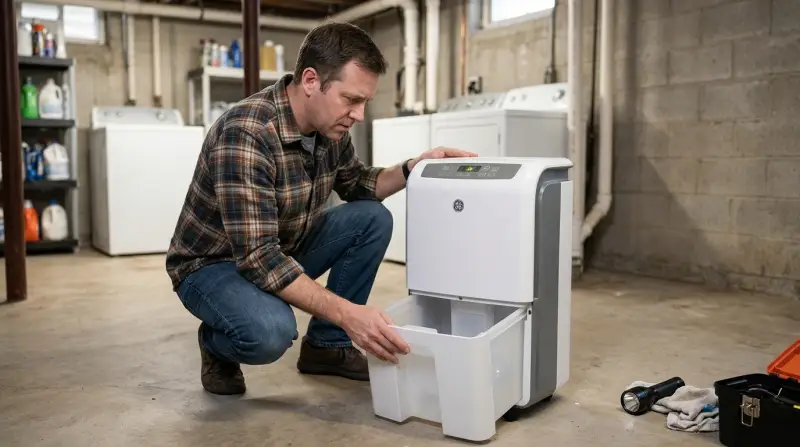
Dehumidifiers work by pulling moist air over cold coils. This process turns water vapor into liquid, which then drips into the collection bucket. If this cycle stops, it’s usually because the machine can’t move enough air or the internal sensors believe the room is already dry enough.
The primary mechanical cause is a frozen evaporator coil. If the ambient temperature in the room is too low, ice builds up on the coils instead of liquid water. Most modern units have an automatic defrost cycle, but if the room temperature drops below 65 degrees Fahrenheit, the unit may struggle to cycle correctly. This varies by model — check the label or your manual for the specific operating temperature range.
Another factor is a faulty humidistat. This sensor measures the moisture level in the air. If the sensor is damaged or calibrated incorrectly, it may read the room as “dry” even when it’s humid, causing the compressor to shut off prematurely. Finally, if the drain line is kinked or blocked, water can’t reach the bucket. You can verify the GE Appliances troubleshooting guide for specific indicators related to your model’s control panel lights, which often signal when a sensor or airflow issue is detected.
Clean the air filter
The most frequent maintenance step is cleaning the air filter. This is for users who notice the unit is running but not extracting any moisture. To do this, slide the filter out from the back or side of the unit. If you see a thick layer of dust or lint, the airflow is restricted. Use a soft brush or a vacuum hose to remove the debris. If the filter is greasy, wash it in warm water with mild dish soap and let it air dry completely before putting it back.
Don’t use a damaged or torn filter, as this allows dust to build up on the internal coils, which is much harder to clean. If you find the filter is worn out, replace it with a new one designed for your specific model. This fix works if the machine sounds like it’s running but the air coming out of the exhaust is weak. If the airflow remains poor after cleaning, the internal fan might be obstructed. If you aren’t comfortable opening the casing to inspect the fan, contact a local appliance repair technician. Attempting to disassemble the main housing can void your warranty or lead to electrical shock if the unit is still plugged in.
Adjust humidity settings
This fix is for users who find their unit turns on briefly and then shuts off. Locate the “Humidity Set” or “Target Humidity” button on the control panel. Many people mistakenly set this to a high percentage, such as 70%, which tells the machine to stop working once the room reaches that level. For most basements or damp areas, you should set the target between 40% and 50%.
If you want the unit to run constantly regardless of the current moisture levels, look for a “Continuous” mode. If you select this, the dehumidifier will run until the bucket is full or the unit is manually turned off.
If the machine still doesn’t collect water after lowering the target, wait 30 minutes to see if the compressor kicks in. You’ll know it’s working when you hear a distinct hum and the air coming out of the exhaust feels warm. If the air feels cool, the compressor isn’t engaging, and you should check if the unit is in “Fan Only” mode.
If you set the target to 35% and the room is very large, the unit will run for a long time before the bucket fills. This assumes a standard room size of 500 square feet. For larger spaces, allow extra time for the unit to reach the target humidity level. If the unit runs for over 24 hours without collecting any water in a damp space, the refrigerant may have leaked, rendering the machine ineffective.
Test the drain system
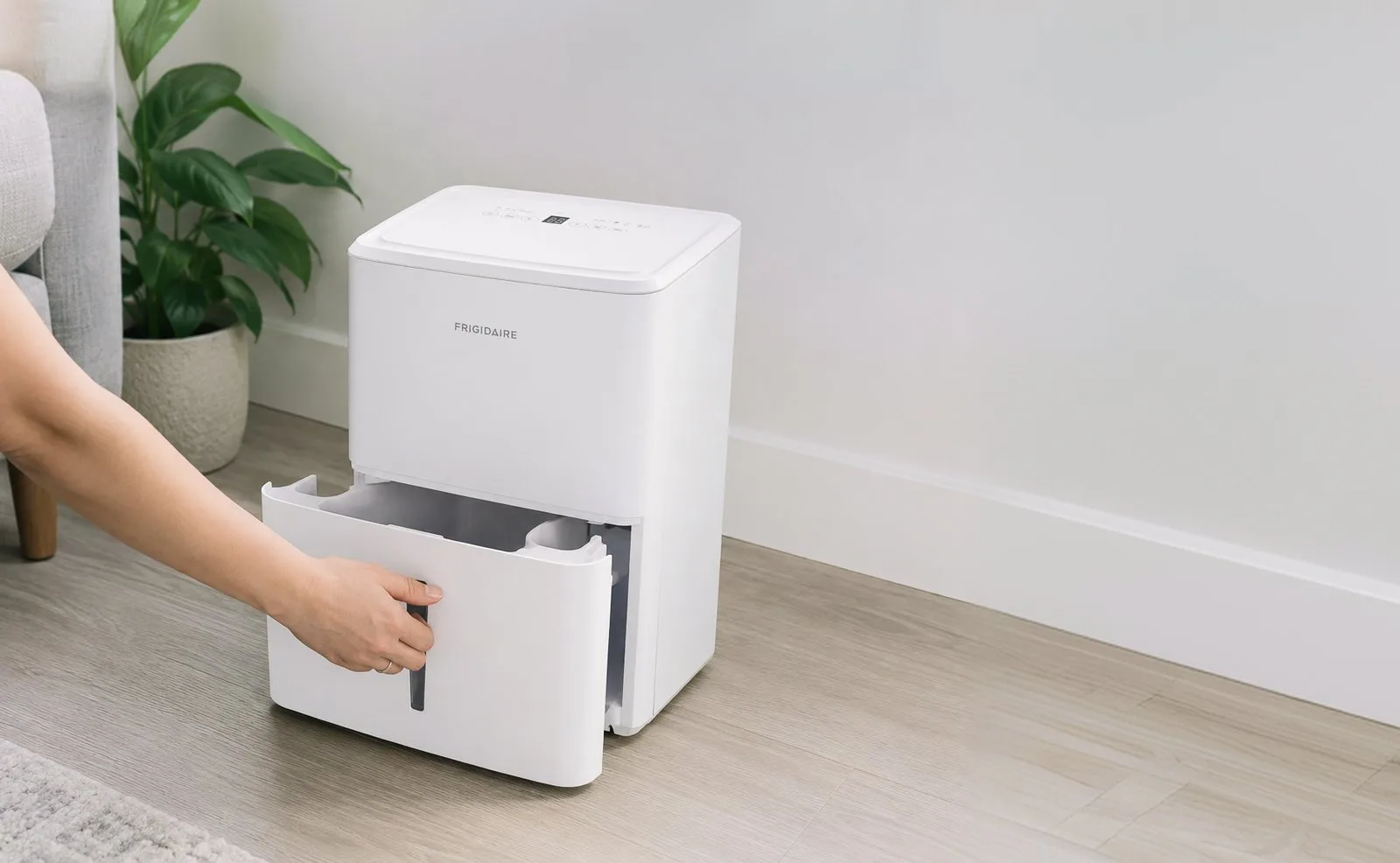
This fix is for cases where the bucket remains empty despite the unit running for hours in a humid room. First, pull the bucket out and inspect the area where water is supposed to drip. You should see a small spout or opening. If you see standing water inside the unit or signs of leaking, the drain path is blocked. You can clear minor blockages by using a thin, flexible wire to gently poke into the drain opening.
If you’re unsure if the path is clear, pour two tablespoons of water directly into the drip tray. If the water doesn’t flow into the bucket within sixty seconds, the blockage is deeper in the internal tubing. Don’t use chemical drain cleaners, as these can corrode the plastic housing or damage the internal sensors.
This isn’t for you if you’re uncomfortable dealing with potential water spills or if the unit is still under a manufacturer’s warranty. If the unit has an internal pump, check if the external hose is kinked or if the drain height exceeds the pump’s capacity. If you need to lift water higher than the manufacturer specifies, the pump will fail to evacuate the liquid, causing the unit to shut down for safety.
If clearing the path doesn’t work, the internal water pump may be dead. Replacing an internal pump is an advanced repair; seek help from a professional if you lack experience with electrical appliances. Attempting this repair yourself on a unit with a faulty capacitor can result in a dangerous electrical shock.
What not to do
Don’t place the unit against a wall. A clearance of at least twelve inches is required to prevent the intake vents from choking, which forces the compressor to overheat and shortens its lifespan by years.
Never use an extension cord. These units pull high amperage that standard household cords can’t handle, often causing the internal wiring to melt or triggering a fire hazard. If the unit is too far from an outlet, move the device rather than extending the reach.
Finally, never bypass the float switch. This small plastic lever is your only protection against flooding. If you notice the bucket isn’t triggering the shut-off, replace the switch immediately. Ignoring this mechanical failure will lead to water damage across your floors within hours of the bucket filling.
How to stop it happening again
Consistent maintenance prevents the build-up of dust and ice that usually causes the system to fail. Most users wait for a total breakdown before acting, but a proactive schedule saves you the cost of a premature replacement.
| If you’re doing this | Do this instead | Why |
|---|---|---|
| Leaving the filter for months | Dust buildup ruins coil efficiency | |
| Setting humidity to 70% | Set it to 45% | This allows the unit to cycle properly |
| Placing unit in a cold corner | Keep unit in a central location | Cold air slows down moisture collection |
| Ignoring the “Full” light | Empty the bucket immediately | Stagnant water encourages mold growth |
If your ambient temperature drops below 60°F, your unit will likely struggle with frost. In this case, switch to a model with an integrated hot-gas bypass or move the device to a warmer room. Neglecting this rule forces the compressor to run continuously, which spikes your electricity bill and risks burning out the motor. Always verify that your drainage hose has a constant downward slope to prevent backflow.
Frequently asked questions
Can I run a dehumidifier in a room below 60 degrees?
No, most standard dehumidifiers aren’t designed to operate efficiently in temperatures below 65 degrees. If you run the unit in a cold room, the coils will frost over, which prevents the machine from collecting any water at all. If you must dehumidify a cold space, you need a specialized “low-temp” or “basement” model designed for those conditions. Always check your owner’s manual for the specific minimum operating temperature for your machine.
Why does my dehumidifier run but not fill the bucket?
Your dehumidifier is likely struggling with restricted airflow or an incorrect humidity setting. A blocked air filter prevents the machine from pulling enough air across the coils to create condensation. Ensure your filter is clean and set your target humidity to 45% to test performance.
How long does it take for a dehumidifier to fill a bucket?
The time it takes to fill a bucket depends on room size, ambient humidity, and unit capacity. A large unit can fill a 20-pint bucket in under 24 hours in a damp basement. If the unit runs for 48 hours without collecting water, inspect your filter and settings.
Is it safe to leave a dehumidifier on 24/7?
Yes, it’s safe to run a dehumidifier continuously if the unit is designed for it and the bucket is emptied. Most models feature an automatic shut-off when the bucket is full or humidity targets are met. Use a continuous drain hose to avoid manual emptying.
What happens if the internal pump fails?
If the internal pump fails, the unit stops collecting water because it can’t move liquid to the bucket or drain. You’ll typically see a “full” or “pump” error light on the control panel. You may need to replace the pump or switch to gravity-fed drainage.
Final Thoughts
If these quick checks don’t get your machine working again, it’s time to reach out to a professional technician. They’ll be able to inspect the internal coils or refrigerant levels for you. Don’t let a faulty unit sit idle; getting it fixed promptly ensures your home stays comfortable and dry all year long.