
Staying online is more important than ever. If you use Starlink for your internet, you know how reliable it is—even in remote areas. But sometimes, power outages can shut everything down. That’s where a UPS battery backup comes in. It keeps your Starlink running when the electricity goes out. Choosing the right UPS for Starlink isn’t simple. There are many models, features, and specs to consider. This guide will help you understand what matters, avoid mistakes, and pick the best battery backup for your Starlink setup.
Why Starlink Needs Battery Backup
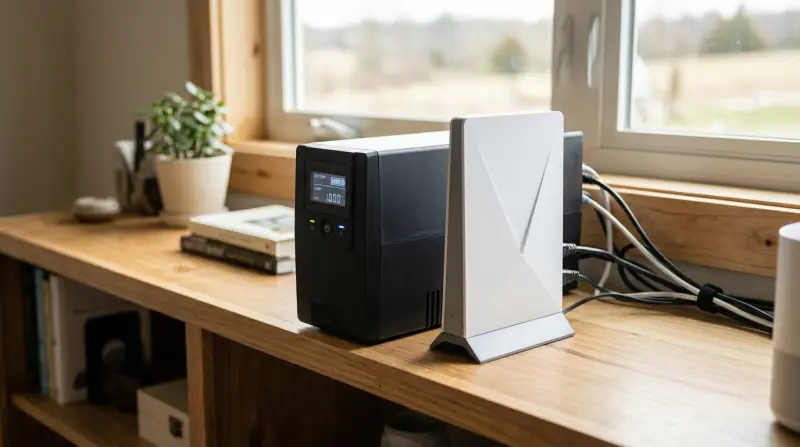
Starlink relies on a dish, modem, and router—all powered by electricity. When your power goes out, your internet stops. With a UPS, you get extra power for a limited time. This lets you:
- Keep browsing and working during outages
- Stay connected for emergency calls or updates
- Avoid resetting your Starlink system every time power returns
Most Starlink users experience power interruptions from storms, grid failures, or rural infrastructure. If you live in an area with frequent outages, a battery backup is essential.
Understanding Starlink Power Needs
Before buying a UPS, you need to know how much power Starlink uses. This helps you choose the right size and capacity.
Typical Starlink Power Consumption
Starlink’s standard dish (Gen 2) uses about 50–75 watts during normal operation. Older dishes (Gen 1) may use a bit more, and newer models (like Flat High Performance) can reach up to 100 watts.
Your modem and router add another 10–20 watts. If you connect other devices (like a computer or camera), add their consumption too.
Calculating Total Load
Let’s look at a common setup:
- Starlink dish: 70 watts
- Starlink modem/router: 15 watts
- Wi-Fi router (optional): 10 watts
Total: 95 Watts
This is the minimum power your UPS must support. If you connect other devices, add their wattage.
Estimating Backup Time
Most UPS units list backup time in minutes. This depends on:
- The battery size (measured in VA or Wh)
- The power draw of your setup
For example, a 600VA UPS with a 360Wh battery can run a 95-watt setup for about 3. 5 hours. If your power outages last longer, you need a bigger battery.
Types Of Ups Battery Backup
There are several kinds of UPS. Each has pros and cons for Starlink.
Standby (offline) Ups
This is the basic type. It supplies battery power when the main power fails.
- Best for: Short outages, simple setups
- Limits: Shorter backup time, slower switching
Line-interactive Ups
This type is more advanced. It adjusts voltage and switches to battery faster.
- Best for: Areas with voltage fluctuations, moderate outages
- Limits: Slightly higher cost
Online (double Conversion) Ups
This is the most reliable. It always powers devices from the battery, with no switching time.
- Best for: Sensitive equipment, long outages
- Limits: Expensive, larger, less efficient for small loads
Lithium Vs Lead-acid Batteries
Most UPS units use sealed lead-acid batteries. They’re cheap but heavy and need replacement every 2–3 years. Some newer models use lithium-ion batteries. These last longer, are lighter, and handle deeper discharge.
If you want a backup that lasts for years, consider lithium models—even if they cost more.
Key Features To Consider
When choosing a UPS for Starlink, some features matter more than others.
1. Capacity (va And Watts)
UPS units are rated in VA (Volt-Amps) and watts. Watts are more important for Starlink. Ensure the UPS supports at least your total load. For example, if your setup uses 95 watts, get a UPS rated for 100+ watts.
2. Battery Size (wh)
More battery means longer backup. If you want 4 hours of backup, calculate:
- Battery Wh = Device watts × hours
For 95 Watts × 4 Hours = 380 Wh
3. Output Type
Starlink needs pure sine wave output for stable performance. Some cheap UPS units use simulated sine wave, which can cause issues. Always check if the UPS offers pure sine wave.
4. Number Of Outlets
Count how many devices you’ll connect. Make sure the UPS has enough battery-backed outlets (not just surge protection).
5. Recharge Time
A fast recharge is important if outages happen often. Look for units that recharge in 2–4 hours.
6. Monitoring And Alerts
Some UPS units offer LCD screens, software, or apps to monitor battery status. This helps you plan and avoid surprises.
7. Portability
If you move your Starlink setup (for RVs or cabins), look for a portable UPS.
Comparing Popular Ups Models For Starlink
Here’s a quick look at common UPS options suitable for Starlink. This table compares key specs.
| Model | Battery Type | Capacity (VA/Watts) | Backup Time (95W Load) | Output | Recharge Time | Price (USD) |
|---|---|---|---|---|---|---|
| APC Back-UPS Pro 1000VA | Lead-Acid | 1000/600 | ~60 mins | Simulated Sine Wave | ~8 hours | $150 |
| CyberPower CP1500PFCLCD | Lead-Acid | 1500/900 | ~90 mins | Pure Sine Wave | ~8 hours | $200 |
| EcoFlow River 2 | Lithium-ion | 600/360 | ~3.5 hours | Pure Sine Wave | ~1 hour | $299 |
| Jackery Explorer 500 | Lithium-ion | 500/500 | ~5 hours | Pure Sine Wave | ~7 hours | $499 |
| APC Smart-UPS 1500VA | Lead-Acid | 1500/1000 | ~100 mins | Pure Sine Wave | ~6 hours | $450 |
Non-obvious Insight
Many people buy the cheapest UPS, but pure sine wave is key for Starlink. Simulated sine wave can cause slowdowns or failures. Also, lithium-ion batteries hold their charge longer and recharge faster, so you get more reliable backup.
Real-life Example: Rural Starlink Setup
Sarah lives in rural Texas. Her power goes out 2–3 times a month, usually for 1–2 hours. She uses Starlink for work and emergency alerts.
She bought a CyberPower CP1500PFCLCD. It gives her about 90 minutes of backup for Starlink, modem, and router. She added a small LED light to the load. When power fails, she gets alerts and can finish work without interruptions.
Sarah’s main mistake at first was buying a small, simulated sine wave UPS. Her Starlink didn’t connect reliably. After switching to pure sine wave, everything worked smoothly.

Credit: www.youtube.com
Step-by-step Guide: How To Choose The Right Ups For Starlink
Picking a UPS isn’t just about price. Here’s how to do it right.
Step 1: List Your Devices
Write down every device you want to keep running:
- Starlink dish
- Modem/router
- Wi-Fi router
- Phone charger
- Laptop (optional)
Step 2: Find Their Power Ratings
Check the labels or manuals. Add up the watts.
Example:
- Starlink dish: 70W
- Modem/router: 15W
- Wi-Fi router: 10W
Total: 95w
Step 3: Decide Backup Time
How long do you want backup? Most people need 1–3 hours. In rural areas, aim for 4–6 hours.
Step 4: Calculate Battery Size
Multiply total watts by hours.
- 95W × 3 hours = 285 Wh
Look for a UPS with at least 300 Wh battery.
Step 5: Pick Output Type
Always choose pure sine wave. Avoid simulated sine wave for Starlink.
Step 6: Check Outlets
Make sure the UPS has enough battery-backed outlets.
Step 7: Consider Portability
If you travel or move your system, pick a portable UPS.
Step 8: Compare Models
Use the comparison table above. Look at battery type, backup time, price, and features.
Step 9: Read Reviews
Check user feedback, especially from Starlink users. Some UPS units work better with Starlink than others.
Step 10: Buy From A Reliable Seller
Choose trusted brands and official stores. Avoid used or old UPS units—they may have weak batteries.
How Battery Backup Works With Starlink
When power fails, the UPS battery kicks in. You’ll notice almost no interruption if you use pure sine wave.
- Starlink stays connected
- Modem and router keep running
- Your devices stay online
When power returns, the UPS recharges. If the battery is low, recharge times vary. Lithium-ion units recharge faster.
Common Mistakes To Avoid
- Underestimating Power Needs: Many users forget to add all devices to their load calculation.
- Choosing Simulated Sine Wave: Starlink works best with pure sine wave output.
- Ignoring Battery Replacement: Lead-acid batteries need replacement every 2–3 years. Lithium-ion lasts longer.
- Buying Small UPS Units: If you get frequent or long outages, a bigger battery is better.
- Not Checking Compatibility: Some UPS units don’t work well with Starlink’s unique power profile.
Advanced Tips For Starlink Battery Backup
Use Dc Power For Efficiency
Starlink uses DC internally. Some battery backups offer DC output, which is more efficient. This saves battery and extends backup time.
Solar Charging
If you live off-grid, consider a UPS that can charge from solar panels. Lithium-ion units like EcoFlow or Jackery support solar charging.
Monitoring Remotely
Some UPS systems let you monitor battery status via apps or web interfaces. This is useful if you’re away from your setup.
Expandable Battery Packs
Some advanced UPS units let you add extra battery packs. This increases backup time without replacing the whole system.
Protecting Sensitive Devices
Starlink’s electronics are sensitive to voltage spikes. A UPS with surge protection helps prevent damage during power fluctuations.
Practical Comparison: Lead-acid Vs Lithium-ion Ups
Many beginners struggle to choose between lead-acid and lithium-ion. Here’s a clear comparison:
| Feature | Lead-Acid UPS | Lithium-Ion UPS |
|---|---|---|
| Weight | Heavy (15–30 lbs) | Light (5–15 lbs) |
| Battery Life | 2–3 years | 5–10 years |
| Backup Time | 1–2 hours (typical) | 3–5 hours (typical) |
| Recharge Time | 6–8 hours | 1–2 hours |
| Price | $100–$400 | $200–$800 |
| Maintenance | Battery replacement needed | No regular maintenance |
Non-obvious Insight
Lithium-ion UPS units are not just lighter. They also handle deep discharge better. Lead-acid batteries lose capacity if discharged below 50%. Lithium-ion can safely go lower, making them more useful during long outages.

Credit: www.dishytech.com
How Starlink Users Can Test Their Ups
After buying a UPS, test it with your Starlink setup:
- Plug in all devices you want to protect.
- Simulate a power outage by unplugging the UPS from the wall.
- Check if Starlink stays connected and if all devices run smoothly.
- Time how long the battery lasts under your normal load.
If the backup time is less than expected, adjust your load or consider a bigger battery. Repeat this test every few months.
Maintenance And Battery Replacement
UPS units need regular checks:
- Test battery backup every 3–6 months
- Replace lead-acid batteries every 2–3 years
- Keep vents clear and clean
- Check for software or firmware updates
Lithium-ion UPS units require less maintenance, but still test them regularly.
Environmental Considerations
Lithium-ion batteries are more eco-friendly. Lead-acid batteries require special disposal. Always recycle old batteries at approved centers.
If you use solar charging, your setup is greener and more independent.
What To Do During Long Outages
If your power is out for more than your UPS can support:
- Turn off unnecessary devices to save battery
- Use low-power mode on your Wi-Fi router
- Recharge the UPS with solar or a generator if possible
Some Starlink users in remote areas keep a second UPS for emergencies.
Budgeting For A Ups Battery Backup
UPS prices range from $100 to $800 or more. Here’s how to budget:
- Basic backup (1–2 hours): $100–$200
- Medium backup (3–4 hours): $200–$500
- Long backup (5+ hours): $500–$800
Invest in quality. Cheap UPS units may fail when you need them most.
Installation Tips
- Place the UPS near your Starlink modem and router
- Use surge-protected outlets for extra safety
- Keep the UPS in a cool, dry spot
- Label cables and devices for easy troubleshooting
If you use a portable UPS, secure it so it doesn’t fall or get damaged.
Safety Precautions
- Never overload your UPS
- Don’t connect high-power devices (like heaters) to the UPS
- Keep children and pets away from the UPS
- Follow manufacturer instructions
UPS units can get warm during operation. Make sure there’s enough ventilation.
Alternatives To Ups Battery Backup
If you need even longer backup, consider:
- Generators: Gas or propane generators supply power for days, but need fuel and are noisy.
- Solar battery systems: Good for off-grid setups. They cost more but offer unlimited backup if there’s sunlight.
- Large power banks: Some power stations (like EcoFlow or Jackery) support Starlink and other devices for hours.
These alternatives cost more but are useful for remote cabins, RVs, or disaster preparedness.
How Starlink Handles Power Loss
When Starlink loses power, it disconnects immediately. After power returns, the system needs a few minutes to reboot and reconnect to satellites. Frequent power loss can cause errors or slow reconnection.
A UPS helps avoid these issues by keeping your setup running smoothly.
How To Maximize Ups Efficiency
- Use energy-saving devices
- Turn off devices you don’t need during outages
- Keep battery fully charged when not in use
- Update Starlink firmware regularly
Efficiency is key. The less power you use, the longer your backup lasts.
Expert Recommendations
- Always choose pure sine wave output for Starlink
- Lithium-ion UPS units are worth the higher price for long-term reliability
- Consider solar charging for off-grid setups
- Test your backup system regularly
If you need more data, visit the Wikipedia page on UPS systems for technical details.
Frequently Asked Questions
What Size Ups Do I Need For Starlink?
You need a UPS that supports at least 100 watts for Starlink, modem, and router. For longer backup, choose a battery with 300+ Wh capacity. Calculate total device wattage and multiply by desired backup hours.
Can I Use A Regular Ups For Starlink?
Yes, but it must provide pure sine wave output. Cheaper UPS units with simulated sine wave may cause Starlink problems. Always check the specs before buying.
How Long Will A Ups Keep Starlink Running?
Backup time depends on battery size and total load. For example, a 300 Wh UPS can run a 95-watt Starlink setup for about 3 hours. Larger batteries provide longer backup.
Is Lithium-ion Better Than Lead-acid For Starlink Ups?
Lithium-ion batteries are lighter, last longer, and recharge faster. They handle deep discharge better than lead-acid. They are more expensive but worth it for frequent outages.
Can I Recharge My Ups With Solar Panels?
Some portable UPS units (like Jackery and EcoFlow) support solar charging. This is great for off-grid setups or long outages. Check if your UPS model is compatible with solar panels.
Staying online with Starlink during power outages is possible with the right UPS battery backup. By understanding your power needs, choosing the right features, and avoiding common mistakes, you can enjoy reliable internet even when the lights go out. Make sure to invest in quality, test your setup, and keep your system maintained.
With the right UPS, Starlink becomes even more powerful—no matter where you are.