
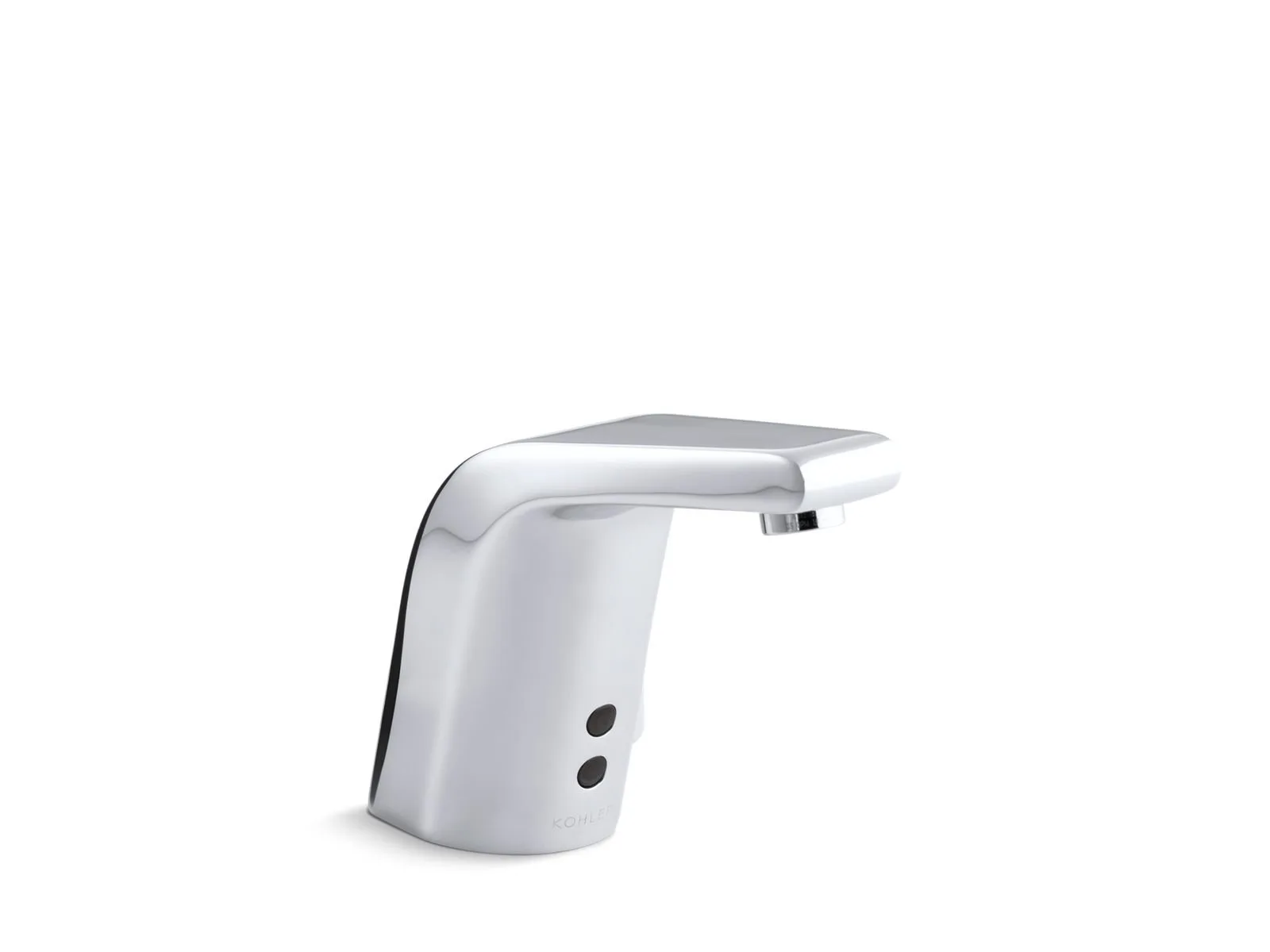
A dead battery is the most common reason for a Kohler Automatic Faucet Not Working, appearing in most cases where the unit suddenly stops responding to hand movement. You can confirm this quickly by checking for a blinking red light on the sensor window or by listening for the faint click of the solenoid valve when you place your hand in front of the lens. If the light doesn’t flash or the valve remains silent, the power supply is the first area to investigate.
Why your Kohler automatic faucet not working
| Cause | How common | How to confirm it | Fix it yourself? |
|---|---|---|---|
| Dead batteries | Very common | No sensor light | Yes |
| Dirty sensor lens | Common | Wipe with cloth | Yes |
| Loose cable | Common | Check connections | Yes |
| Clogged aerator | Occasional | Low water flow | Yes |
| Failed solenoid | Rare | Constant clicking | No |
| Faulty sensor | Rare | No light/click | No |
Most users assume a total failure when the faucet stops, but the most common culprit is simply power loss. If your unit uses AA batteries, replace them regularly even if the device still functions. A dying battery often causes intermittent operation before it fails completely.
If the water flow is weak but the sensor activates, don’t blame the electronics. Mineral buildup in the aerator screen is the likely cause. Simply unscrew the nozzle and soak it in white vinegar for twenty minutes to dissolve the calcium.
Distinguish between a failed solenoid and a faulty sensor by listening closely. If you hear a rapid, rhythmic clicking sound when you wave your hand, the solenoid is stuck and requires a professional replacement. If there’s absolute silence and no light, the sensor board has likely shorted out. Never attempt to solder internal circuit boards, as this voids the manufacturer warranty.
Power source exhaustion
A depleted battery pack is the primary culprit when your touchless faucet fails to activate. These units rely on a consistent electrical charge to power the infrared sensor and the internal solenoid valve. When the voltage drops below the threshold required to trigger the valve, the faucet stops opening the water line entirely. You can confirm this issue by checking the status light on the sensor face; if it’s dark or blinking red during use, the system is signaling a power failure.
Replacing the batteries usually resolves the issue in under 10 minutes. Most models use standard AA or CR-P2 lithium batteries housed in a box under the sink. If you’re uncertain about the battery type or location, refer to the official Kohler product documentation to identify your specific faucet installation. If the unit uses an AC adapter, ensure the plug is pushed firmly into the wall outlet and that the outlet itself has power by testing it with a lamp. If the power source is active but the faucet remains unresponsive, the fault lies within the internal wiring or the electronic control module. This assumes your unit has a clear path to the battery box; if the box is tucked behind heavy plumbing, allow extra time for access.
Sensor surface contamination
A dirty sensor lens often blocks the infrared beam, making the faucet believe no hands are present. These sensors rely on a clear line of sight to detect movement. Even a thin layer of soap scum, hard water mineral deposits, or toothpaste splatter can scatter the light beam, causing the unit to ignore your presence. You can distinguish this from a power issue by checking the status light; if the light glows or blinks when you wave your hand, but no water flows, the sensor is likely just dirty.
Cleaning the lens is a simple task that requires only a soft, damp cloth and mild soap. Never use abrasive sponges or harsh chemicals like bleach or ammonia, as these can scratch the optical surface or damage the finish. Gently wipe the sensor window to remove any buildup, then dry it with a soft towel. If the faucet starts working immediately after cleaning, you have solved the problem. If the lens appears clean but the faucet still fails to trigger, ensure no reflective objects like chrome soap dispensers or mirrors are positioned directly in front of the sensor. These items can cause “ghost triggers” or interfere with the beam’s return signal. If the sensor remains unresponsive after a thorough cleaning, the internal infrared emitter may have reached the end of its functional life.
Restricted water flow
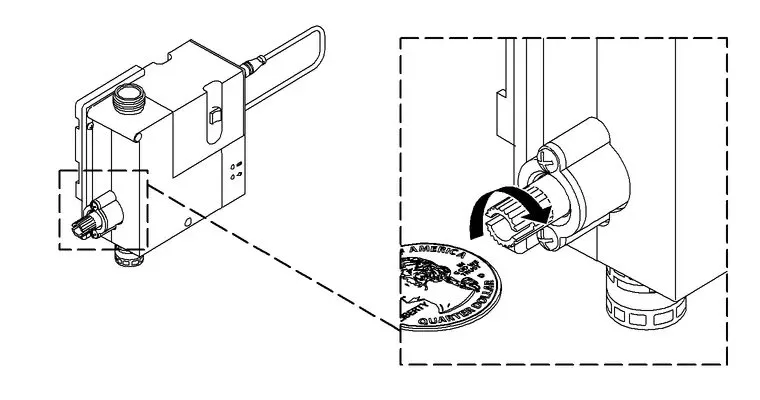
A clogged aerator prevents water from exiting the spout even if the sensor and solenoid are working perfectly. Over time, mineral deposits from your local water supply accumulate inside the mesh screen of the aerator. This buildup restricts pressure until the water becomes a mere trickle or stops flowing altogether. You can identify this cause if you hear the internal valve click when you place your hand in front of the sensor, but no water comes out.
To fix this, unscrew the aerator from the tip of the faucet spout. If it’s tight, use a cloth to protect the finish while turning it with pliers. Once removed, soak the aerator in a solution of equal parts white vinegar and water for about 30 minutes to dissolve the mineral scale. Use a soft brush to clear any remaining debris from the screen before threading it back onto the spout by hand. Don’t over-tighten, as this can damage the threads. If the water flow remains weak after cleaning the aerator, the issue may be a clog further up the line in the supply hoses or the check valves. If you see no improvement after cleaning the aerator, you should stop and contact a professional plumber, as accessing the internal supply lines involves turning off main water valves and risking leaks if connections aren’t resealed correctly.
The less likely causes
- Loose control cable: The wire connecting the sensor to the control box may have wiggled loose, requiring a firm push to reseat the connection.
- Water supply shut-off: Check that the angle stops under your sink are fully open, as someone may have closed them during maintenance.
- Failed solenoid valve: If you hear a loud buzzing or clicking but no water moves, the internal valve mechanism has likely failed and requires a professional part replacement.
- Sensor module defect: If all power and connections are verified but the unit remains dead, the electronic brain of the faucet has likely malfunctioned and needs a full unit replacement.
What a fix usually involves
Repairing a touchless faucet is often a matter of replacing a small, inexpensive part like a battery or cleaning a screen. The time required depends on how easily you can reach the components under your sink. If the battery box is mounted on the wall or a side panel, you’ll finish in minutes. If you must clear out a crowded cabinet to reach the connections, the job will take longer.
Most simple fixes cost very little, often just the price of new batteries or a small amount of vinegar. However, if the solenoid or sensor module is broken, the replacement parts can reach a significant portion of the price of a new faucet. You can check the specific part numbers for your model on the manufacturer’s website to see if the repair is worth the investment compared to a full replacement. If you aren’t comfortable working with plumbing connections or electronic components, a professional plumber can provide a quote for the labor.
Frequently asked questions
Can I fix a Kohler automatic faucet myself?
Yes, you can perform basic troubleshooting like changing batteries, cleaning the sensor lens, and clearing the aerator on your own. These tasks don’t require specialized tools or plumbing knowledge. If the issue requires dismantling the internal valve or replacing the electronic control box, it’s best to consult a professional to avoid accidental leaks or voiding your warranty.
Why is my faucet clicking but not running?
The clicking sound confirms the sensor is working and the solenoid is trying to open, which points to a flow restriction. Check the aerator at the tip of the spout for mineral buildup or ensure the water supply valves under the sink are fully open. If the aerator is clean and the valves are open, the internal solenoid valve may be stuck or damaged.
How long do the batteries last?
A limited lifespan is typical for a standard set of alkaline batteries in a residential setting. This varies by model — check the label on your battery pack for the manufacturer’s estimate. High-traffic areas or frequent use will drain the power faster, while a faucet used only a few times a day will see the batteries last much longer.
Is it safe to clean the sensor with water?
Yes, the sensor window is designed to be water-resistant, but you should use only a damp cloth. Don’t spray water directly at the sensor or soak the unit, as excess moisture can penetrate the housing and damage the electronics. Always use a soft cloth to avoid scratching the lens, which can permanently affect the sensor’s ability to detect movement.
What happens if I use the wrong batteries?
Using the wrong battery type can cause the faucet to operate erratically or stop working entirely. The voltage output of different battery chemistries varies, and the control module requires a specific range to function. Always check your user manual for the exact battery size and type required for your specific faucet model to ensure reliable, long-term operation.
Does it matter if the water is hard?
Yes, hard water significantly increases the frequency of clogs in the aerator and mineral buildup on the sensor lens. If you live in an area with high mineral content, you may need to clean your aerator periodically to maintain consistent flow. Regular maintenance prevents the buildup from becoming hard enough to require professional removal or part replacement.
Final Thoughts
If these quick checks don’t restore your water flow, there might be a deeper issue with the internal sensor or wiring. Don’t hesitate to reach out to Kohler’s customer support team for extra guidance. They’re usually happy to help you figure out if you’ll need a replacement part to get things running again.