
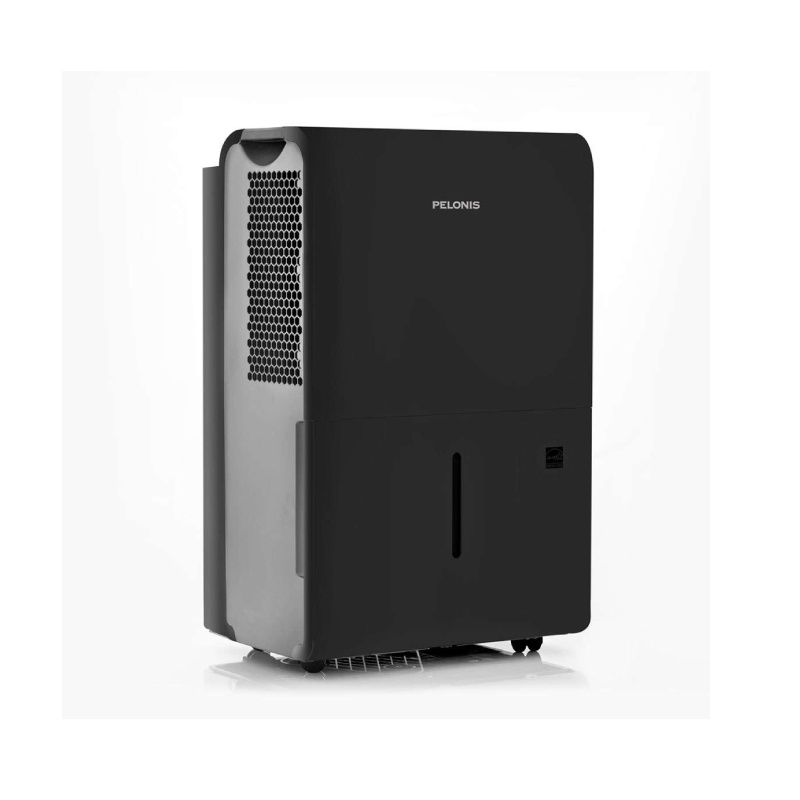
A Pelonis dehumidifier is a trusted appliance for controlling moisture in homes and offices. But when the dehumidifier pump stops working, it can cause water leaks, high humidity, and even mold growth. Many users feel frustrated when their Pelonis dehumidifier fails to drain water automatically. The good news? Most pump issues can be fixed with the right steps—often without calling a technician.
This article guides you through understanding why the Pelonis dehumidifier pump might not be working, how to diagnose the problem, and what you can do to get it running again. Whether you’re a homeowner or a maintenance worker, you’ll find clear advice, practical solutions, and some tips even experienced users often miss.
How The Pelonis Dehumidifier Pump Works
The Pelonis dehumidifier uses a pump to move collected water from its tank to a drain or sink. This feature is especially useful for basements or locations where water cannot flow out by gravity. The system uses a float switch to detect water level. When the tank is full, the float switch tells the pump to start, and water is pushed through a hose to your chosen drain location.
If any part of this process fails, the “Pump” indicator may flash, the tank may overflow, or the unit may shut off. Understanding these basics helps you troubleshoot problems more easily.
Common Reasons The Pump Is Not Working
Several issues can cause your Pelonis dehumidifier pump to stop. Here are the most frequent ones, with explanations:
- Clogged Drain Hose: Dirt, mold, or mineral buildup can block water flow.
- Pump Switch Failure: The float switch may get stuck or fail electrically.
- Pump Motor Problem: The motor can wear out, overheat, or get blocked.
- Power Supply Issues: Loose cords, outlet problems, or tripped breakers can cut power.
- Improper Setup: Incorrect hose installation, kinks, or height above the recommended limit.
- Water Tank Not Seated: If the tank isn’t in place, the pump won’t activate.
- Control Board Faults: Rare, but the circuit board may fail.
Below is a quick comparison of symptoms and likely causes:
| Symptom | Likely Cause |
|---|---|
| Pump runs but no water drains | Clogged hose or blocked outlet |
| Pump never runs | Float switch, motor, or power problem |
| Water leaks from tank | Improper tank placement or full tank |
| Pump indicator light flashes | Control board or sensor issue |
Step-by-step Troubleshooting
Before you buy parts or call for service, try these steps. They cover most situations where the Pelonis dehumidifier pump is not working.
1. Check Power And Connections
- Ensure the dehumidifier is plugged in tightly.
- Try another outlet to rule out wall socket issues.
- Reset breakers if tripped.
- Inspect the power cord for damage.
Sometimes, loose plugs or power surges can stop the pump, even when the main unit seems on.
2. Inspect The Water Tank
Remove and reseat the tank. The pump won’t activate if the tank is not placed correctly, even if it looks close enough. Make sure the float inside the tank moves freely—sometimes, sticky residue or debris can keep it from rising.
3. Examine The Drain Hose
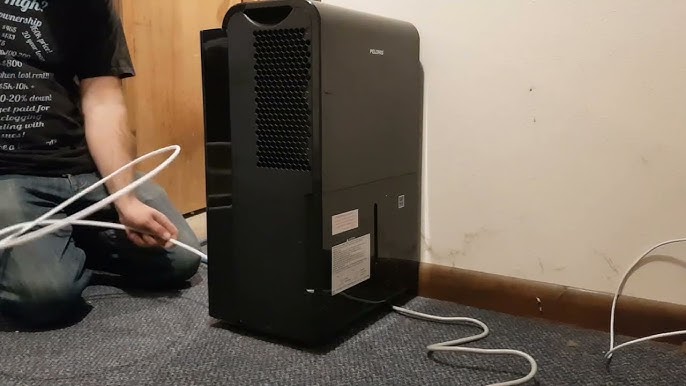
Remove the drain hose and flush it with water. Look for kinks, blockages, or sharp bends. If you find mold or mineral buildup, soak the hose in vinegar for an hour and rinse well. Always make sure the hose is below the recommended maximum height (usually 16 feet for Pelonis models).
4. Test The Pump Switch
The float switch triggers the pump when water is high. Gently lift the float (with the unit unplugged) and listen for a click. If you don’t hear one, or if it feels stuck, clean it gently. If it’s broken, you may need a replacement.
5. Listen For Pump Operation
When the tank fills, listen for a humming or running sound from the pump. No sound could mean the motor isn’t getting power, or it’s burned out. If you hear clicking or buzzing but no water moves, the motor might be blocked.
6. Check For Error Codes
Some models show error codes or blinking lights. Check your user manual for code meanings. For example, a flashing “PUMP” light may mean a blockage, while an “E4” code could mean a sensor failure.
7. Clean The Pump
Unplug the unit. Access the pump area (usually behind the tank) and gently clean with a soft brush or cloth. Remove any visible debris. Don’t use harsh chemicals that may damage plastic parts.
8. Try A Test Run
After cleaning and reassembly, fill the tank with water, install the hose, and plug the unit back in. Watch to see if water pumps out properly.
If none of these steps solve the problem, the issue may be inside the pump or the control board.
When To Repair Or Replace Parts
Sometimes, a damaged pump or switch cannot be repaired easily. Here’s how to decide your next move.
Repair
- Float switch is dirty or only slightly stuck.
- Hose or outlet is clogged but not broken.
- Pump motor works sometimes but needs cleaning.
Replace
- Pump motor does not run at all after cleaning and testing.
- Float switch is broken, and cleaning does not help.
- Control board shows persistent errors.
Replacement parts are available from Pelonis or appliance parts stores. Always check your warranty before buying new parts.
Credit: us.pelonis.com
Preventing Pump Problems
Maintaining your Pelonis dehumidifier can prevent future pump issues. Here are proven habits:
- Clean the tank and hose every month.
- Use filtered water if possible to reduce mineral buildup.
- Avoid bending or kinking the drain hose.
- Place the dehumidifier on a flat, stable surface.
- Check for leaks or wet spots around the unit.
Below is a quick care schedule for your reference:
| Task | Frequency | Purpose |
|---|---|---|
| Flush drain hose | Monthly | Prevents clogs and mold |
| Clean float switch | Every 3 months | Ensures reliable pumping |
| Check power cord | Every 6 months | Avoids electrical hazards |
| Inspect pump motor | Yearly | Prevents motor failure |
Non-obvious Insights Most Owners Miss
Many Pelonis owners focus on cleaning the tank or hose, but two often-overlooked tips can save you trouble:
- Check the outlet height: Most pumps can only lift water a certain distance (often 16 feet). If your drain hose runs uphill too far—even by a few feet—the pump will fail or overheat. Always keep the hose as short and direct as possible.
- Humidity sensor drift: Sometimes, the humidity sensor inside the dehumidifier drifts out of calibration. This can cause the unit to stop before the pump works, or run too long. If your unit shuts off early, try resetting it to factory settings or cleaning the sensor area gently with a dry cloth.
When To Call For Professional Help
If you’ve followed all troubleshooting steps and the pump still doesn’t work, it may be time for a professional. Internal wiring, circuit board faults, or a burned-out motor require special tools and skills. Attempting these repairs on your own can void the warranty or cause more damage.
Check your Pelonis warranty—many units have a 1- or 2-year coverage for pump and motor problems. Authorized service centers can diagnose and repair deeper issues safely.
Real-world Example
Maria, a homeowner in Florida, noticed her Pelonis dehumidifier was running, but the basement stayed damp. The water tank kept filling, but nothing drained through the hose. After checking the power and cleaning the tank, she found the drain hose was pushed too high, trying to reach a laundry sink. Lowering the hose fixed the problem instantly. This example shows how hose height can make all the difference.
Credit: www.youtube.com
Key Takeaways For Owners
- Start with the simplest solutions—power, tank placement, and hose cleaning.
- Only replace parts if cleaning and basic checks don’t work.
- Keep the drain hose as straight and short as possible.
- Clean and maintain your dehumidifier regularly to avoid pump problems.
- Don’t ignore warning lights or error codes—check your manual.
Useful Resources
For more details on dehumidifier pump care and troubleshooting, the official Pelonis Support page provides manuals and customer service contacts.

Credit: www.reddit.com
Frequently Asked Questions
Why Does My Pelonis Dehumidifier Pump Run But Not Remove Water?
This usually means the drain hose is clogged, kinked, or installed above the recommended height. Unclog or reposition the hose to solve the problem.
How Do I Reset My Pelonis Dehumidifier Pump?
Unplug the unit for 5 minutes, then plug it back in. This resets the control board and may clear some error codes. If the problem returns, check for blockages or float switch issues.
Can I Use My Pelonis Dehumidifier Without The Pump?
Yes. You can remove the drain hose and let water collect in the tank. Just remember to empty the tank regularly, or the unit will stop automatically when full.
What Does A Flashing “pump” Light Mean?
A flashing PUMP indicator usually signals a blockage, sensor problem, or motor issue. Check your manual for exact meanings, but cleaning and resetting often solve the problem.
How Often Should I Clean The Dehumidifier Pump And Hose?
Clean the pump and hose every month to prevent mold, clogs, and bad smells. Regular cleaning keeps the pump working smoothly and extends the life of your dehumidifier.
If you keep your Pelonis dehumidifier well-maintained and follow these troubleshooting steps, you’ll enjoy reliable moisture control for years. And if pump problems do arise, you now have the knowledge to fix them quickly and confidently.