
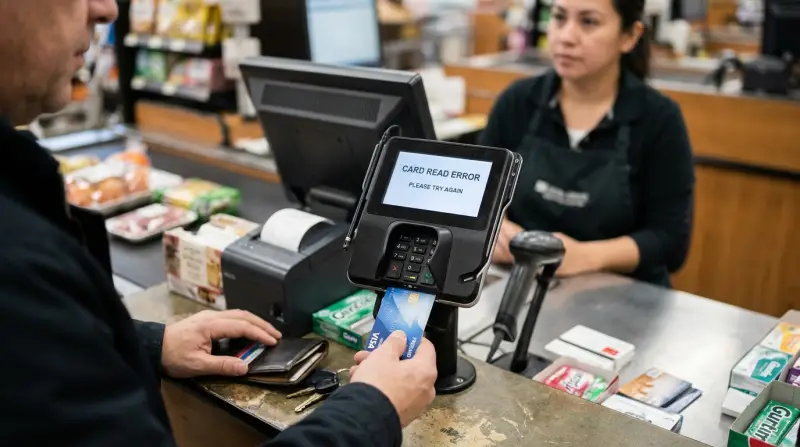
The most common reason for a Spendwell Card not working is an inactive account or a locked status due to a missed verification step. Usually, this occurs because the card wasn’t activated via the mobile app or website. Occasionally, the bank blocks cards for suspicious activity. Check your account dashboard for alerts to confirm your status.
Why your Spendwell card isn’t working
| Cause | How common | How to confirm it | Fix it yourself? |
|---|---|---|---|
| Card not activated | Very common | Check app dashboard | Yes |
| Insufficient funds | Common | View transaction history | Yes |
| Expired card | Occasional | Check front of card | Yes |
| Suspicious activity block | Rare | Call support line | No |
| Damaged magnetic strip | Rare | Inspect physical card | Yes |
| Terminal error | Rare | Try different store | Yes |
Most failures stem from a simple mismatch between the card’s status and the terminal’s request. If your card is brand new, it will remain locked until you confirm receipt in the mobile app. Many users mistake a “declined” message for a technical failure when the issue is actually a pending transaction that reduced your available balance below the purchase price.
Check your current balance against the transaction amount before assuming a system outage. If the card is physically damaged, the chip might still work even if the magnetic strip is unreadable. In that case, use the “tap to pay” feature or insert the chip instead of swiping. If you receive a “security alert” code, don’t attempt the transaction again. Repeated attempts trigger a permanent lock that requires a manual override from a bank representative, which can take up to three business days to resolve.
Account activation and status errors
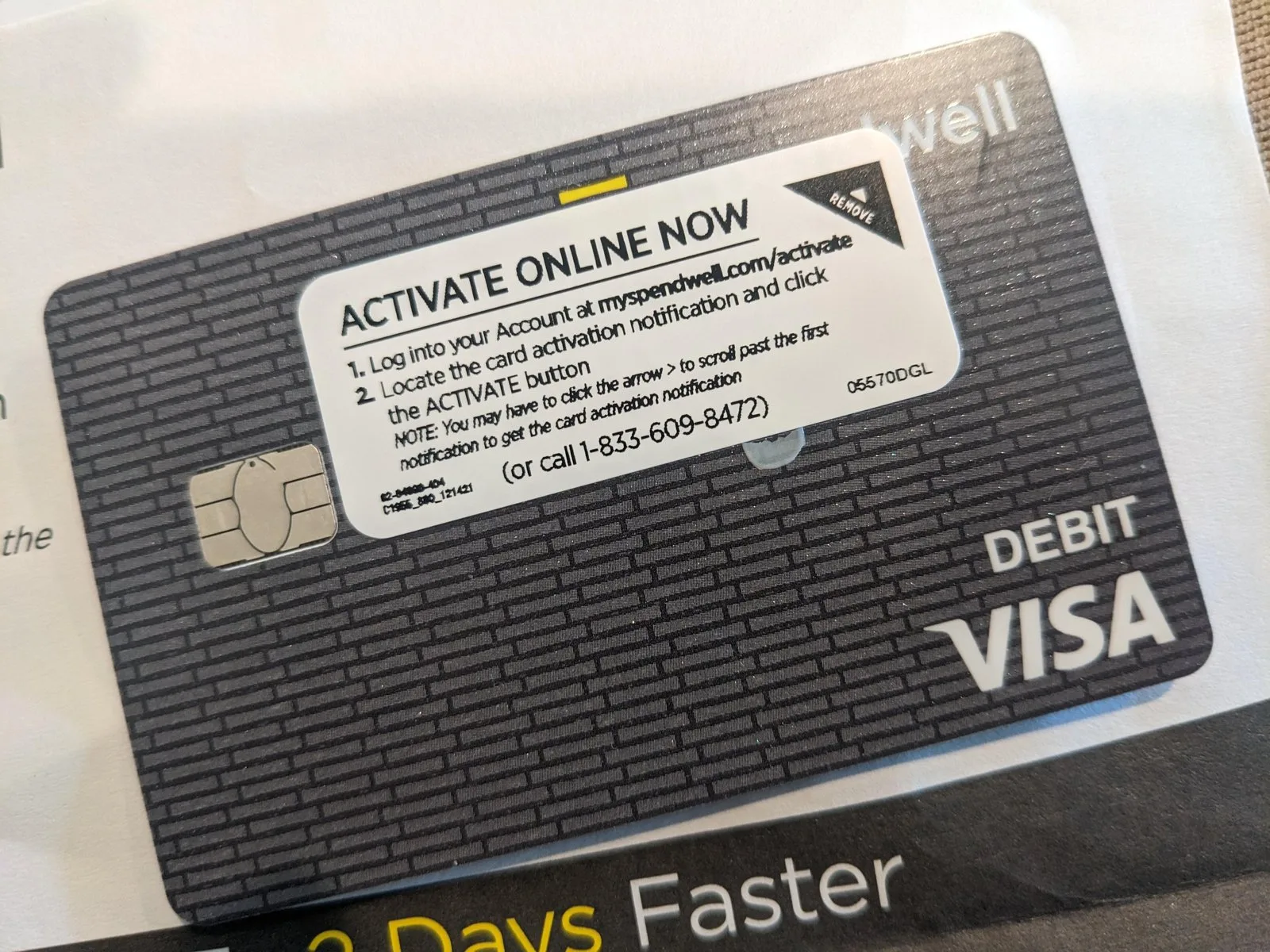
Your card won’t process any transactions until the activation process is fully completed. This happens because security protocols prevent cards from being used while they’re in transit to your home. To confirm if this is your problem, log in to your official Spendwell mobile app or website account. If you see a button that says “Activate Card,” you haven’t finished the setup process.
To fix this, follow the prompts on the screen to enter the card’s security details. This process takes about three minutes to finish. Once the system confirms the activation, you should be able to use the card immediately. If you have already activated the card but it still fails, check the account balance. A card often declines if the purchase amount is higher than the available funds. You can verify your balance by checking the official Spendwell account login page to see if your funds are available for use.
If you have already activated the card and have enough money, check if your account is currently locked or frozen. A freeze is a security feature that stops all spending until you lift it. You can usually toggle this status off in the “Card Settings” menu of your app. If the app shows the card is active and funded, but it still declines, the issue is likely a technical error at the store’s card reader rather than a problem with your specific account.
Transaction limits and card restrictions
Sometimes the card is working perfectly, but a specific transaction exceeds your daily spending or withdrawal limits. This is a common trade-off between user convenience and account security. You can identify this cause if your card works for small purchases but fails when you try to buy something that costs a significant amount.
If you hit a limit, the system will decline the transaction to prevent unauthorized use of your funds. Check the “Fees and Limits” section in your cardholder agreement or the app to see your specific caps. If you need to spend more than your current limit, you may need to wait until the next day for the limit to reset. If you’re trying to use the card in a country where it isn’t supported, this will also cause a decline.
If you’re unsure why a transaction was blocked, contact the customer service number on the back of your card. They can see the specific reason for the decline in their internal logs. If you try to use the card at a machine that doesn’t support your card type, it will fail regardless of your balance. If you have been trying to use the card for a long time without success, it’s possible your card has simply worn out. In this case, you should request a replacement through the app.
Physical card damage and terminal issues

A card with a damaged magnetic strip or a broken chip will fail at almost every terminal, even if your account is in perfect standing. You can tell if this is the issue by looking closely at the back of the card. If the black magnetic strip is scratched, peeled, or faded, the card reader can’t read your data. This is a common mistake people make; they try to force the card into the reader repeatedly, which can sometimes damage the terminal itself.
If the chip is dirty, you can try to wipe it gently with a soft, dry cloth. Don’t use water or chemical cleaners, as these can ruin the electronic components. If cleaning the card doesn’t help, you should try to use the card at a different store. If it works there, the first store’s terminal was the problem. If it fails everywhere, the card is likely faulty.
This isn’t for users who have lost their card or suspect theft. If you think someone else has your card details, don’t try to fix it yourself. Report the card as lost or stolen immediately to prevent unauthorized charges. This varies by model—check the label or the back of your card to see if you have a contactless version, which might work even if the chip is having trouble. If you have done all these checks and the card still fails, you’ll need to order a new one.
The less likely causes
-
Wrong PIN entered: Entering the wrong PIN three times triggers an automatic security lockout. You must wait 24 hours for a reset or visit a branch with government-issued identification to unlock it immediately.
-
Maintenance windows: Banks perform system updates during off-peak hours, typically between 2:00 AM and 4:00 AM local time. If your transaction fails during this window, wait one hour and attempt the payment again.
-
Merchant category block: Some accounts restrict spending in categories like gambling or crypto exchanges. Check your app’s “Card Controls” menu to toggle these specific merchant categories on or off.
-
Expired security certificate: Cards expire on the last day of the printed month. If you haven’t received a replacement, check your mailing address in the profile settings.
-
Legal holds: If a court places a lien on your account, you’ll receive a formal notice via certified mail. You can’t resolve this through customer service; you must contact the issuing legal authority directly.
What a fix usually involves
Fixing a card issue depends on what is wrong. Most of the time, the fix is free and involves only your time. If the card is simply locked, you can unlock it in the app in less than a minute. If you need a new card because yours is damaged, the bank may charge a small fee for the replacement. This cost is usually a small part of the total balance you hold on the card.
If the issue is a technical problem with the bank’s system, there’s no cost, but you’ll need to wait for them to resolve the outage. You can check the official website for any announcements about system downtime. If you need a professional to look into a legal hold or a complex account error, you’ll need to contact the support team directly. They can provide a specific quote if any fees apply to your situation. Always check the official documentation that came with your card for the most accurate information on fees and account policies.
Frequently asked questions
Can I use my card if the app is down?
No, you can’t manage your card settings or unlock it if the app is down, but you can still use your card for purchases if it was already active and funded. If your card was already locked or inactive before the app went down, you must wait until the service is restored to make changes to your account status.
Why is my card declined even with money in the account?
About 90 percent of the time, this happens because the card isn’t activated or a security block is active. Check your account dashboard to see if there’s an “Activate” button or a “Card Locked” toggle. If these are both clear, the terminal at the store might be experiencing a communication error with the bank’s network during your purchase attempt.
How long does it take to get a replacement card?
About 7 to 10 business days is the standard time for a new card to arrive by mail. If you need it sooner, check if your account supports a virtual card number, which you can use for online purchases immediately while you wait for the physical plastic card to arrive at your home address.
Is it safe to use my card at an ATM?
Yes, it’s safe to use your card at an ATM as long as the machine looks well-maintained and doesn’t have suspicious attachments over the card slot. If you notice anything unusual about the card reader, don’t insert your card. Always cover the keypad with your hand when you enter your PIN to keep your information private from onlookers.
What happens if I enter the wrong PIN too many times?
About 24 hours is the typical time a card remains locked after three wrong PIN attempts. You may be able to reset the PIN earlier through your account settings in the app. If you can’t remember your PIN, don’t keep guessing, as this will only extend the lockout period and keep your card from working at registers.
Does it matter if I use the chip or the swipe method?
Yes, it matters because most modern terminals require you to use the chip for better security. If you swipe a card that has a chip, the terminal will often prompt you to insert the card instead. Always follow the instructions on the screen of the card reader, as some machines will reject a swipe if they detect a functional chip.
Final Thoughts
If you still can’t make a purchase after checking these settings, don’t worry. Reach out to the customer support team through the chat feature in your app. They’ll help you figure out what’s wrong so you can get back to using your funds as quickly as possible.
Related guides
- Securespend Card Not Working: Quick Fixes and Solutions
- Doordash Gift Card Pin Not Working: Quick Fixes and Solutions
- New Sim Card Not Working: Quick Fixes and Troubleshooting Tips