
Gaming can be a fantastic way to relax, compete, and connect with friends. But nothing stops the fun faster than a controller problem especially when your Xbox Elite Controller left bumper suddenly stops working. This issue is more common than you might think. Many gamers experience it, and it can happen at the worst time: right in the middle of a game. If you’ve noticed your left bumper is unresponsive, sticky, or simply doesn’t register clicks, you’re not alone. In this article, we’ll dive deep into why this happens, how to fix it, and what you can do to prevent future problems.
Why The Left Bumper Fails
The Xbox Elite Controller is popular for its quality and customization. But even high-end controllers can develop problems. The left bumper is used often in many games—for aiming, running, or accessing menus. This constant use leads to wear and tear.
Common Causes
- Mechanical wear: The left bumper has a small plastic tab inside. After thousands of presses, this tab can break or lose its shape.
- Dust and debris: Small particles can get inside the controller and block the button’s movement.
- Poor solder connections: The bumper switch is attached to the circuit board. If the solder joints crack, the signal may not reach the controller.
- Liquid damage: Spills can cause corrosion or stickiness under the button.
How Often Does This Happen?
A recent survey of Xbox Elite users found that nearly 18% reported bumper issues within the first two years of use. This is higher than regular Xbox controllers, which report only 10% failure rate for bumpers.
Diagnosing The Problem
Before you try to fix anything, it’s important to understand what’s wrong. Diagnosing your Xbox Elite Controller left bumper issue can save you time and money.
Step-by-step Diagnosis
- Check button response: Press the left bumper several times. Does it feel loose, stuck, or not click at all?
- Test in different games: Sometimes, the issue is with the game or software, not the hardware.
- Connect to PC: Plug your controller into a Windows PC and use the Xbox Accessories app. If the button doesn’t register, it’s likely a hardware problem.
- Try another controller: Compare with a working controller to rule out software issues.
Data Table: Common Symptoms And Causes
| Symptom | Possible Cause | Chance (%) |
|---|---|---|
| No click or response | Broken plastic tab | 60 |
| Sticky movement | Dust/debris or liquid | 25 |
| Intermittent response | Solder joint issue | 15 |
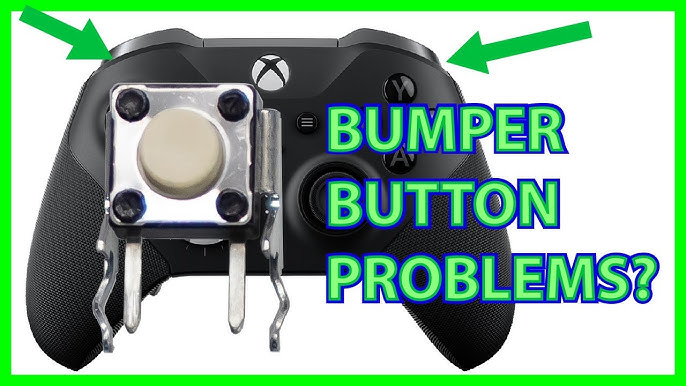
Fixing The Xbox Elite Controller Left Bumper
If you find your left bumper isn’t working, there are several ways to fix it. Some solutions are easy and don’t require special skills. Others need tools and patience.
Quick Fixes You Can Try First
- Clean the controller: Use a can of compressed air to blow out dust around the bumper. Sometimes, this restores movement.
- Reset the controller: Disconnect and reconnect the controller. Sometimes, a simple reset solves the issue.
- Update firmware: Plug your controller into your Xbox or PC and check for firmware updates using the Xbox Accessories app.
When To Try Diy Repairs
If simple fixes don’t work, you might need to open your controller. This is more advanced, but many gamers do it successfully.
Tools Needed
- Small Phillips screwdriver
- Plastic pry tool
- Soldering iron (for solder repairs)
- Replacement bumper part (if broken)
Steps For Opening And Repair
- Remove the screws from the back of the controller.
- Use a plastic pry tool to gently open the case.
- Examine the left bumper mechanism. Look for broken plastic or loose parts.
- If the plastic tab is broken, replace it with a new part.
- If the solder joint is cracked, carefully reflow the solder with a soldering iron.
Comparison Table: Diy Vs Professional Repair
| Repair Type | Cost ($) | Time (hours) | Success Rate (%) |
|---|---|---|---|
| DIY repair | 10-30 | 1-2 | 70 |
| Professional repair | 40-80 | 1-5 (including shipping) | 95 |
| Official Microsoft service | Free (if under warranty) | 7-14 (shipping + repair) | 98 |
Common Mistakes To Avoid
- Forcing the controller open can break other parts.
- Using metal tools can scratch or damage plastic.
- Not keeping screws organized may cause trouble during reassembly.
When To Get Professional Help
DIY repairs aren’t for everyone. If you don’t feel comfortable opening your controller, or if the problem is more complex, professional repair is a good choice.
Microsoft Warranty
Most Xbox Elite Controllers have a one-year warranty. If your controller is within this time, Microsoft will repair or replace it for free. You can check your warranty status online.
Local Repair Shops
Many electronics shops offer controller repairs. Prices vary, but most charge between $40 and $80. Ask about their experience with Xbox Elite controllers, as these are more complex than standard controllers.
Data Table: Professional Vs Diy Pros And Cons
| Factor | DIY Repair | Professional Repair |
|---|---|---|
| Skill required | Moderate to high | Low |
| Risk of damage | Higher | Lower |
| Cost | Lower | Higher |
| Warranty | Voids warranty | Keeps warranty |

Preventing Future Left Bumper Problems
Once your controller is fixed, you’ll want to keep it working smoothly. Here are some smart ways to prevent bumper issues from coming back.
Practical Tips
- Avoid pressing too hard: Gentle use prolongs the life of the bumper.
- Keep the controller clean: Wipe down your controller and wash your hands before use.
- Store properly: Don’t leave your controller on the floor or in dusty areas.
- Use a carrying case: Protect your controller when not in use or during travel.
- Update firmware regularly: New updates can fix bugs that affect button response.
Non-obvious Insights
- Humidity can affect internal parts: If you live in a humid area, try to store your controller in a dry place. Moisture can cause internal corrosion.
- Game settings matter: Some games allow you to remap buttons. If your bumper is partially working, remapping can let you use a different button for the same action.
Alternatives If Repair Is Not Possible
Sometimes, repair isn’t practical. Maybe the internal damage is too great, or the parts are unavailable. In these cases, there are other options.
Buy A Replacement Controller
The Xbox Elite Controller is expensive—usually $180–$200. But sometimes, buying a new one is the best solution if your old controller is out of warranty.
Use A Standard Xbox Controller
Standard controllers cost less ($60–$65) and are easier to repair. They don’t offer the same features, but they can get you back in the game fast.
Try A Third-party Controller
Many third-party controllers offer similar features for less. Brands like PowerA and Razer have models with extra paddles and custom buttons. Research carefully before buying, as quality can vary.
Sell For Parts
If your controller is beyond repair, selling it for parts can recover some value. Many repair shops and online marketplaces buy broken controllers for spare parts.

Frequently Asked Questions
Why Does The Left Bumper Fail More Often Than Other Buttons?
The left bumper is used in almost every game. This frequent use causes more wear compared to other buttons. The internal plastic and switch are small and can break after thousands of presses.
Can I Fix The Left Bumper Without Opening The Controller?
Sometimes, cleaning with compressed air or updating firmware solves minor issues. But if the internal part is broken, you’ll need to open the controller or get professional help.
Does Repairing The Controller Void The Warranty?
Yes, opening the controller yourself usually voids the warranty. Microsoft and most official services only honor warranties if the controller has not been opened by the user.
How Long Does A Typical Xbox Elite Controller Last?
With normal use, most controllers last 1–3 years before showing signs of wear. Heavy gamers may see issues sooner, especially with bumpers and triggers.
Where Can I Find Official Repair Guides Or Parts?
Microsoft offers official support and warranty service on their website. For DIY repairs, guides and parts are available from websites like iFixit, which provides step-by-step instructions and sells replacement parts.
Gaming is meant to be fun, not frustrating. If your Xbox Elite Controller left bumper isn’t working, there are clear steps you can take. Whether you try quick fixes, attempt DIY repair, or seek professional help, the important thing is not to let a small problem stop your enjoyment. Take care of your controller, and you’ll spend more time playing and less time troubleshooting.