
A stuck relay on the control board or a faulty thermal sensor is usually why your Ge Microwave Fan Won’T Turn off. When this happens, the fan runs constantly even after the cooking cycle ends or the door is opened. This is a common issue often caused by a failing control board or a tripped thermal switch that can’t reset itself. If you find your fan running indefinitely, the first step is to disconnect power to the unit at the breaker box to prevent overheating or motor burnout.
Why this happens
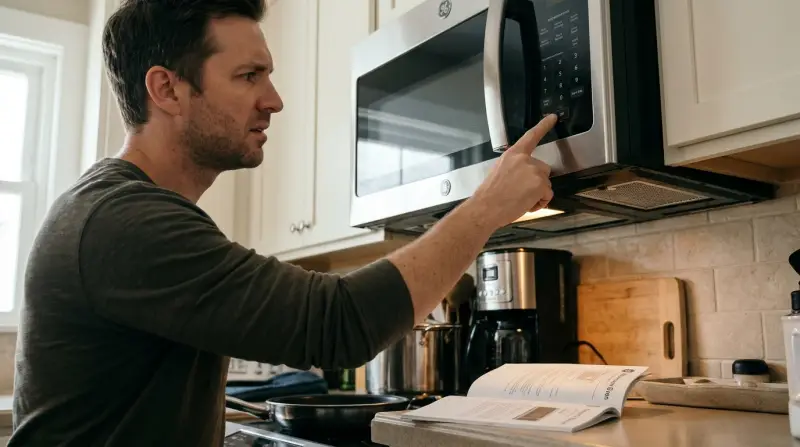
The cooling fan in your microwave serves two vital purposes: it pulls heat away from the magnetron during operation and clears moisture or smoke from the cooking cavity. When the fan stays on, it’s usually because the electronic path that tells the motor to stop has been interrupted.
The most frequent culprit is a stuck relay on the main control board. Relays act as switches that open and close based on signals from the microwave’s brain. If the internal contacts of this relay weld together due to a power surge or simple wear, the motor receives constant power regardless of the command to shut down.
Another possibility is a faulty thermal sensor or thermostat. These components are designed to keep the fan running if the internal temperature of the microwave exceeds safe limits. If the sensor fails in the “closed” position, the microwave incorrectly believes the unit is still dangerously hot and keeps the fan running to protect the internal components. This is a safety feature intended to prevent fire, but it becomes a nuisance when the sensor itself is broken. You should never attempt to bypass these sensors or repair the control board yourself. Because these components deal with high-voltage circuits, any internal repair is strictly for a qualified technician.
Check the power supply and door
Before assuming a major mechanical failure, perform a simple power reset. Microwaves are controlled by computers that can occasionally experience a logic error. Unplug the microwave or turn off the dedicated circuit breaker for at least sixty seconds. This allows the control board to reset its logic.
If the fan starts running immediately upon plugging the unit back in, the issue is likely a hardware failure on the control board rather than a simple glitch. You must then replace the main control board to restore functionality.
Check the door interlock switches as well. If the door doesn’t latch correctly, the microwave may think the cooking cycle is still active or that the cavity needs continuous ventilation. Inspect the door frame for any debris or sticky buildup that prevents a firm seal.
If the door feels loose or doesn’t click shut, the switch may not be engaging. If the fan stops when you firmly hold the door shut, the door latch or switch assembly needs adjustment.
A common mistake is ignoring a slight gap in the door seal. This gap prevents the safety switches from engaging correctly. If the latch mechanism is physically broken, you’ll need a replacement part.
Reset the thermostat and sensors
The fan often runs as a protective measure when the oven detects high heat. If you have been using the microwave for a long duration, such as steaming vegetables or reheating multiple plates, the thermal sensor may be doing its job. Allow the unit to sit idle for at least thirty minutes without any power. If the fan persists after this cooling period, the thermal sensor is likely stuck in the “on” state.
You can verify if the sensor is the issue by listening for the fan’s behavior. If the fan turns on the moment you restore power, even while the unit is cold, the sensor is almost certainly faulty. This varies by model — check the label on your unit for specific sensor locations if you’re curious, but keep in mind that testing these requires professional diagnostic tools. If you aren’t comfortable with electrical work, contact a GE Appliances support professional to inspect the thermal cut-off switches. They can test the continuity of the sensors safely. If the sensor is indeed faulty, it must be replaced to restore normal operation. Don’t attempt to force the fan off by blocking the vents, as this can lead to a significant fire hazard.
Evaluate the control board
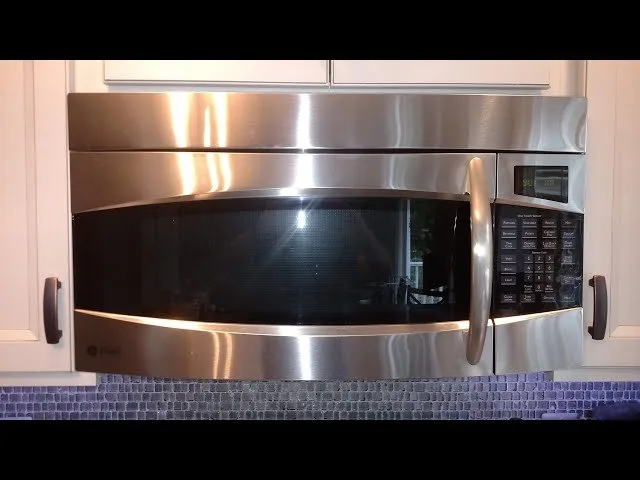
The main control board is the central processing unit for your microwave. If the fan continues to run after you have confirmed the door switches are functional and the unit has cooled down, the control board is the most probable point of failure. This board manages all timing, heating, and ventilation sequences. When the relay responsible for the fan motor fails, there’s no way for the user to “reset” it through the keypad.
If you’re handy with basic tools, you can remove the microwave from its mounting to inspect for loose wiring, but remember that a capacitor can hold a lethal charge unplugged. Never touch the internal electronics or attempt to solder components on the board. If the board is the source, it typically requires a full replacement of the control module. This is a trade-off: replacing the board can be expensive, sometimes costing nearly as much as a new unit. If your microwave is more than seven years old, it’s often more cost-effective to replace the entire appliance rather than paying for a technician to replace the control board. If the unit is newer, check your warranty status first, as many manufacturers cover control board failures within the first year of purchase.
What not to do
-
Never block the air vents. Using tape or cardboard to stop the fan causes heat to build up inside the housing. This creates a high risk of fire. If your unit is in an enclosed cabinet, ensure at least two inches of clearance on all sides to allow proper airflow.
-
Never open the microwave housing. A capacitor can hold a lethal charge even when unplugged. Leave all internal repairs to a certified technician. If you hear a high-pitched whine or see sparks, unplug the unit immediately and don’t attempt to inspect the wiring yourself.
-
Don’t spray cleaners into the vents. Liquid cleaners cause shorts on the control board. This turns a minor fan issue into a complete unit failure. Always spray your cloth first, then wipe the exterior surfaces to keep moisture away from the internal components.
-
Don’t ignore the sound. If the fan runs continuously, the motor will burn out. This is a much more expensive repair than fixing a stuck relay. If the fan persists after the cooking cycle ends, check if the thermal sensor is tripped.
-
Avoid using the microwave while the fan is stuck. Running the unit without cooling damages the magnetron. Replacing this part often costs more than buying a new machine.
How to stop it happening again
Regular maintenance keeps the internal sensors and switches working as intended. Most failures stem from cumulative stress rather than sudden accidents.
| If you’re doing this | Do this instead | Why |
|---|---|---|
| Slamming the door | Gently latch the door | Prevents damage to the switch |
| Using high-heat cycles | Use shorter intervals | Reduces stress on sensors |
| Cleaning with water | Use a damp cloth | Keeps moisture off circuits |
| Ignoring small noises | Listen for changes | Catches relay issues early |
If you notice a rhythmic clicking sound, your relay is likely failing. Replace it immediately to avoid a complete system lockout. If the unit remains silent but fails to trigger, check the fuse box first. A tripped breaker is often mistaken for a mechanical breakdown. People frequently waste money on professional repairs when a simple reset would suffice. If the reset fails twice in one week, the internal sensor has likely lost its calibration. In that case, the sensor must be replaced.
Frequently asked questions
Can I just unplug the fan inside?
No, you can’t safely disconnect the fan motor because it requires opening the high-voltage housing. This action creates a serious risk of electric shock and fire. Please keep the microwave unplugged until a professional technician can replace the faulty relay or thermal switch.
Is it safe to use the microwave with the fan running?
No, it isn’t safe to use the microwave if the fan is malfunctioning. The cooling fan is essential for dissipating heat from the magnetron during operation. If the fan fails to run, the unit may overheat, potentially melting internal components or starting a fire.
How long does a microwave fan last?
There’s no fixed lifespan for a microwave fan, as it depends on usage and environmental factors. Many units function for years, but the relays and sensors that control the fan are prone to wear. Regular cleaning of the vent covers can help the motor run efficiently.
What happens if I ignore the fan?
If you ignore a fan that won’t turn off, you’ll likely burn out the fan motor itself. Once the motor fails, the microwave will be unable to cool the magnetron, causing the unit to shut down permanently. Always address the issue by unplugging the unit and calling for service.
Will a power surge cause this?
Yes, a power surge is a common cause for a stuck relay on the microwave’s control board. A spike in voltage can weld the internal contacts of the relay together, causing it to remain on permanently. Consider installing a surge protector to prevent this from happening in the future.
Final Thoughts
If the fan doesn’t stop after you’ve restored power, it’s likely time to contact a professional technician for a deeper inspection. They’ll be able to identify if a specific component needs replacing before the issue worsens. Don’t worry, you’ve already taken the right precautions to keep your kitchen safe while you decide on your next move.
Related guides
- Samsung Microwave Fan Won’T Turn off
- Whirlpool Microwave Fan Won’T Turn off
- Microwave Turntable is Not Turning