
The Ge Microwave Pf Code is a notification that your appliance has lost power and needs a reset to function again. To clear this, press the “Clear/Off” button on your keypad once.
If the display remains on the error code, unplug the microwave from the wall outlet. Wait for sixty seconds to allow the control board to reset, then plug it back in. This code simply indicates a recent interruption in electricity, such as a power surge or a brief outage, rather than a mechanical failure.
However, if the code persists after a hard reset, the issue is likely a failing control board rather than a power supply error. If the microwave keypad is unresponsive to the “Clear/Off” command during this process, you’re likely dealing with a shorted membrane switch. In that case, replacing the board is the only permanent fix.
Why this happens
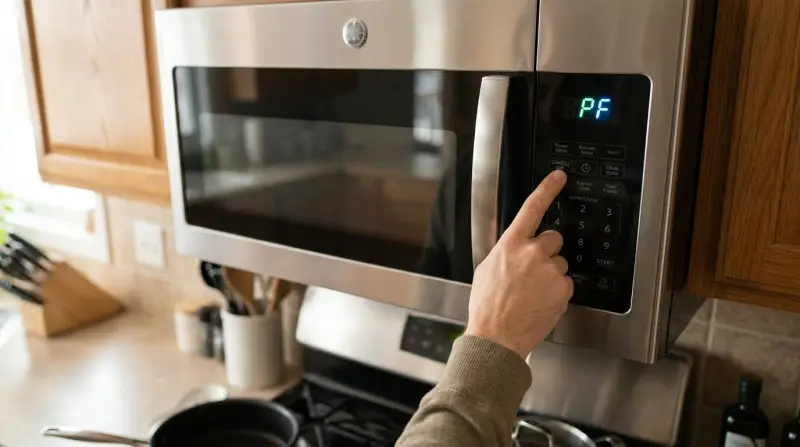
This error code appears because the microwave’s internal control board lost the steady flow of electricity required to maintain its settings. When power returns, the system performs a self-check and displays “PF,” which stands for Power Failure, to alert you that the clock and cooking programs have been wiped.
This usually happens due to a loose plug, a tripped circuit breaker, or a momentary dip in your home’s utility supply. If your microwave is plugged into a shared outlet with high-draw appliances like a toaster or coffee maker, those devices can pull enough current to cause a voltage drop that triggers the error. It’s a safety design feature intended to prevent the microwave from resuming a cycle that might have been interrupted during a critical cooking stage.
If the code persists even after you reset the power, the issue might be a faulty outlet or a damaged power cord. You should check your home’s electrical panel to ensure the breaker hasn’t tripped. If you see signs of burning or melting near the plug, stop using the appliance immediately. Since a capacitor can hold a lethal charge even when the unit is unplugged, any internal electrical repair must be handled by a qualified technician to avoid the risk of severe injury.
Press the Clear/Off button
The first step when you see this code is to interact with the control panel. This fix is for users who have just experienced a flickering light or a storm and now see the display flashing. Press the “Clear/Off” button firmly. If the control panel is responsive, this often clears the error status and allows you to reset the clock.
If the display doesn’t change, you must perform a hard power cycle. Locate the power cord behind the unit and pull it firmly from the socket. Leave it disconnected for exactly one full minute. This time allows the control board to fully power down and reset. After sixty seconds, plug the unit back in and see if the display returns to the time-of-day setting.
This approach is effective for software-based glitches. If the display remains blank or the code returns immediately upon plugging it in, the problem is likely deeper than a simple power interruption. This isn’t for people experiencing a total lack of power to the unit; if the display is completely dead, check your home’s main breaker panel first. If the breaker is on, don’t attempt to open the microwave casing. A capacitor can hold a lethal charge unplugged, and you should contact the GE Appliances Service Support to schedule a professional repair.
Check the power source
A second way to resolve this issue is to verify the stability of your power supply. This fix is for those who notice the error code appearing frequently, even when there are no obvious power outages in the neighborhood. A loose connection at the wall outlet can cause intermittent power drops that trigger the error.
First, check that the plug is pushed all the way into the wall socket. If the plug feels loose or wiggles easily, the outlet itself may have worn contacts. If you have another small appliance, such as a lamp, plug it into that same outlet to see if it flickers or stays lit. If the lamp flickers, the problem is in your home’s wiring, not the microwave.
If the outlet works fine for other devices, ensure the microwave isn’t sharing a circuit with another high-wattage appliance. Microwaves often require a dedicated 15-amp or 20-amp circuit. If you run a vacuum cleaner or a space heater on the same line, the voltage drop can cause the microwave to think the power has failed. If the microwave is on a dedicated line and still throws the code, the issue might be a loose terminal inside the wall outlet. If you aren’t comfortable testing outlets with a multimeter, hire a licensed electrician to inspect the circuit for loose wires or signs of corrosion.
Inspect the control board
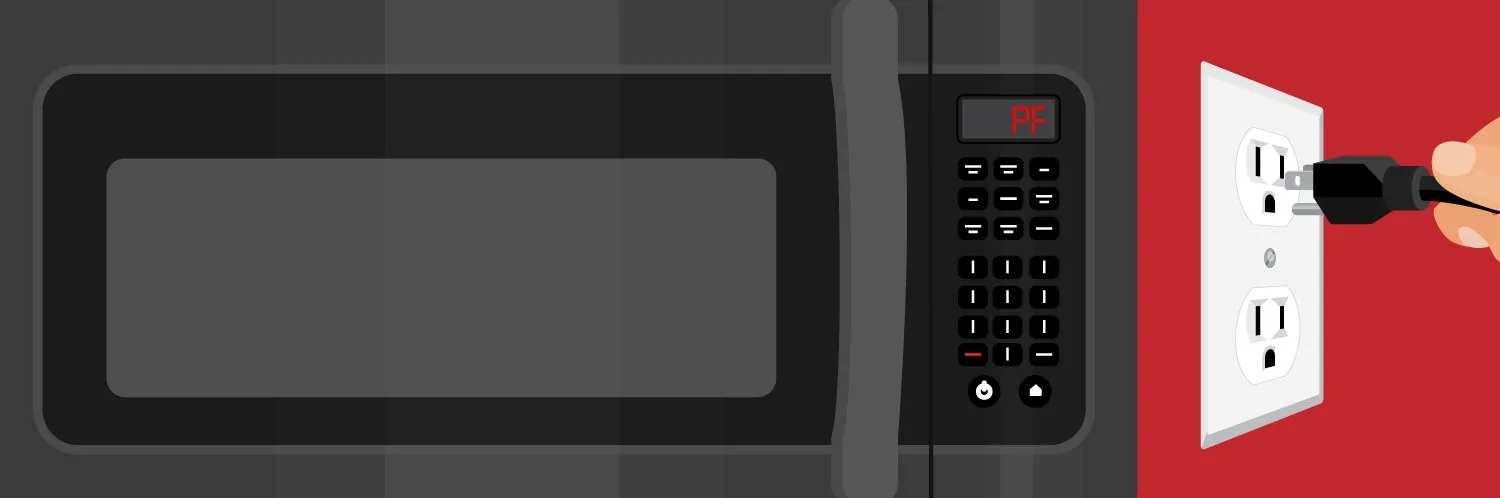
If the error persists after power cycling and checking the outlet, you may have a failing control board. This is for users who have ruled out external power issues and verified the outlet is stable. When a control board develops internal faults, it can falsely report a power failure because it can no longer maintain its own internal logic state.
This is a more serious situation, as it usually requires replacing the main control module. Before assuming the board is dead, check for any stuck buttons on the keypad. A button held down by grease or debris can sometimes cause the control logic to hang and display error codes. Use a dry, soft cloth to wipe the keypad area. If you find a button that feels “mushy” or doesn’t click, that might be the source of your trouble.
Deciding whether to replace a control board is a trade-off between the age of the machine and the cost of parts versus a new unit. If your microwave is an older unit, the cost of a new control board plus labor often nears the price of a mid-range replacement model. If you decide to proceed, remember that the internal components of a microwave are dangerous. Never open the metal housing yourself. Always contact a certified appliance repair professional who has the training to handle high-voltage components safely.
What not to do
-
Don’t attempt to open the microwave cabinet to “fix” the internal board. This is extremely dangerous because a high-voltage capacitor can hold a lethal charge even when unplugged. You risk a fatal electric shock that can stop your heart instantly.
-
Don’t use an extension cord to power the microwave. These cords rarely handle the high current draw required for heating. This creates a voltage drop that triggers false power failure codes. If the cord feels warm to the touch, it’s already failing under the load.
-
Don’t spray cleaning liquids directly onto the keypad. Moisture seeps behind the membrane and causes short circuits that mimic complex power failure errors. Always spray a cloth first, then wipe.
-
Don’t ignore a burning smell or sparking. If you see sparks, stop using the unit and unplug it immediately. This indicates a hardware failure that could lead to a fire. If the smell persists after the unit is unplugged, call a professional technician.
How to stop it happening again
To prevent future power-related errors, keep your electrical environment stable and clean.
| If you’re doing this | Do this instead | Why |
|---|---|---|
| Plugging into a power strip | Use a wall outlet | Strips limit current flow |
| Sharing a circuit with a heater | Use a dedicated outlet | High-draw items drop voltage |
| Cleaning with wet rags | Use a dry microfiber cloth | Water shorts the keypad |
Most users mistake a flickering screen for a failing component, but it usually signals a voltage drop. If your device resets during a thunderstorm or when a heavy appliance kicks on, you’re dealing with a power sag.
The decision rule is simple: if the error occurs only when other appliances run, isolate the device on a dedicated circuit. If the error persists regardless of timing, check for loose wall connections. Ignoring these voltage fluctuations often leads to permanent motherboard damage, which costs three times more than a simple surge protector or a dedicated line.
Frequently asked questions
Can I still cook if the code is displayed?
No, you can’t use the microwave while the code is active. The appliance is in a safety lockout state and won’t respond to commands until you clear the error. If the code persists after pressing “Clear/Off,” the internal controller is unable to boot properly.
Why does the code appear during a storm?
The code appears because the utility grid often experiences micro-outages or voltage dips. These power interruptions cause the microwave’s digital clock and memory to reset, triggering the notification. This is a standard protection mechanism that doesn’t necessarily mean the unit is damaged.
How long should I leave it unplugged?
You should leave the microwave unplugged for at least sixty seconds to ensure the control board has fully reset. This duration allows the control board to fully power down. If you plug it back in too quickly, the board may retain the error state.
Is it safe to use a surge protector?
Yes, it’s safe to use a high-quality surge protector, provided it’s rated for the high wattage of a microwave. Many standard power strips aren’t designed for the 1,000+ watts a microwave draws. If the protector isn’t rated for high-draw appliances, plug the unit directly into a wall outlet.
What happens if the code never goes away?
If the code remains after multiple resets, the main control board has likely suffered a permanent hardware failure. The computer inside the microwave can no longer process instructions or maintain its state. You should contact a professional technician, as you shouldn’t attempt to replace internal components yourself.
Final Thoughts
If the display remains blank or the error persists, you should unplug the unit for a few minutes to let the internal memory fully reset. Don’t worry if it doesn’t work right away; sometimes a simple power cycle is all it takes to get your kitchen running smoothly again.
1 thought on “Ge Microwave Pf Code”