
A power surge or a recent power outage is the most common cause of a Samsung Refrigerator Blinking Temperature display. It’s generally safe to keep using the appliance, as the flashing usually indicates that the unit is cooling back down to the set temperature after a power interruption. You can confirm this by checking if the internal temperature is actually rising or if it’s simply returning to your previous settings. If the fridge is cooling correctly, the display will stop blinking once the internal air reaches the target temperature you have selected.
Understanding the blinking temperature display
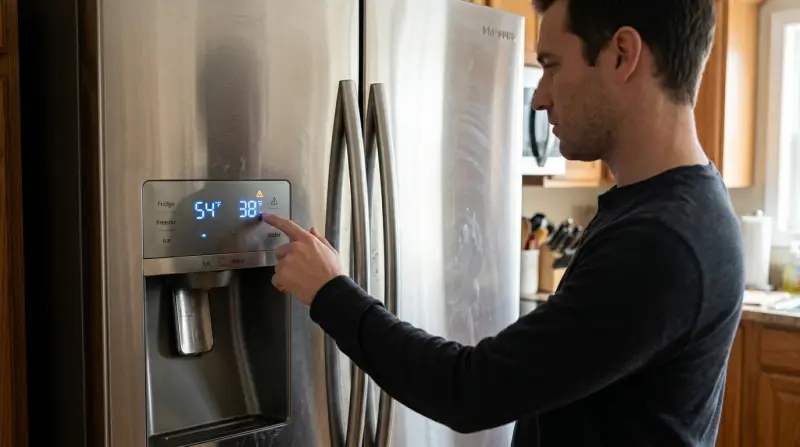
The blinking is a status indicator that the unit has lost its saved settings or is currently outside of its target temperature range.
| What you notice | What it usually means | What to do first |
|---|---|---|
| Lights flash after storm | Recent power loss | Wait for internal cooling |
| Display blinks constantly | Door isn’t sealed | Check door gasket seal |
| Flashing with warm food | Cooling system is struggling | Clear airflow vents inside |
| Blinking after cleaning | Power was disconnected | Reset the temperature setting |
| Display cycles on/off | Control board error | Unplug for 60 seconds |
| Flashing with error code | Hardware communication fault | Note the specific code |
If you see a steady, rhythmic blink, the unit is likely in a safety lockout mode. This prevents the compressor from cycling too quickly after a power surge.
A common mistake is assuming the flashing means the unit is broken. If the temperature is within five degrees of your set point, the blinking is merely a notification of a previous power interruption. You can clear this by holding the “Set” button for three seconds.
However, if the light blinks rapidly while the interior temperature rises above 50 degrees, the cooling system has failed. In this case, don’t attempt a reset. Unplug the unit immediately to prevent motor burnout and call a technician. If the light remains solid, the system is functioning normally.
Power loss and reset needs
The blinking display acts as a warning that the internal temperature has risen above the safe threshold of 40°F, which is the limit for keeping perishable food items from entering the danger zone according to FoodSafety.gov’s cold food storage charts. When power is lost, the refrigerator’s memory can become confused, causing the display to flash as it attempts to recalibrate.
To fix this, you must confirm the appliance is actually cooling. Place an independent thermometer inside the main compartment. If the temperature is dropping toward your target, the blinking is just the system showing the current warm state. You can often stop the flashing by pressing and holding the Power Freeze and Power Cool buttons at the same time for about 5 to 10 seconds. This forces a soft reset of the display panel.
If the display stops blinking and shows a steady temperature, the system has successfully acknowledged the new state. However, a common mistake is assuming a reset fixes a compressor failure. If the display continues to flash after a reset and the internal temperature remains above 45°F for more than two hours, the unit isn’t cooling. In this case, move your food to a backup cooler immediately.
This procedure varies by model. Check the serial tag inside the fridge for specific reset instructions if your buttons don’t respond to the standard combination.
Door seal and airflow issues
A blinking display can also signal that the refrigerator can’t maintain its target temperature because the door isn’t fully closed or the vents are blocked. If the door gasket is damaged or dirty, warm air leaks inside constantly, forcing the compressor to work harder than intended.
Check the door seal by closing a piece of paper in the door; if it pulls out with no resistance, the seal is weak. Replace the gasket if you see visible cracks or if the rubber has lost its elasticity. If the seal is fine, look at the back and sides of the interior. If you have stacked food against the air vents, the cold air can’t circulate properly. This forces the sensors to report a temperature spike, triggering the blinking light.
A common mistake is assuming the fridge is broken when it’s simply overloaded with items that prevent airflow. This costs you energy efficiency and risks food safety. You know this is the cause if the blinking stops after you clear the vents or clean the gasket.
Maintain at least two inches of clearance between your food containers and the rear wall. If the unit continues to blink after clearing the vents, check the condenser coils for dust buildup. This check is simple and helps maintain cooling efficiency. Neglecting this airflow leads to ice buildup on the evaporator coils, which eventually forces a total system shutdown.
Control board communication faults
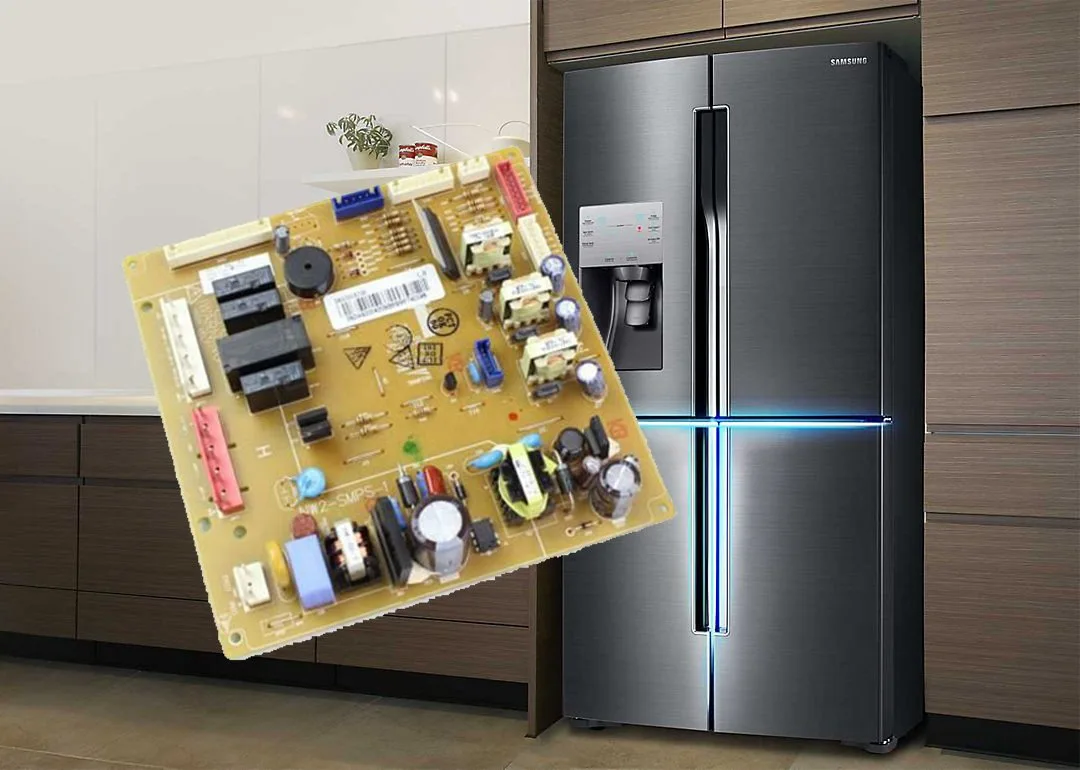
When the blinking is accompanied by an error code or persists despite the fridge feeling cold, the main control board may have a communication error. This happens when the panel can’t send or receive signals from the sensors.
To confirm this, observe if the blinking pattern is irregular or if the entire display becomes unresponsive to touch. If the screen is frozen or shows a specific code like “88 88,” the control board has likely stopped communicating.
A common mistake is assuming the board is dead when the issue is actually a loose ribbon cable. Check the wiring harness connections at the top door hinge first. If those are tight, try a hard power cycle by unplugging the unit for exactly 60 seconds. This allows the capacitors in the board to drain their charge.
If the display returns to normal after plugging it back in, the error was likely a temporary software glitch. If it returns to flashing immediately, the issue is internal.
The decision rule is simple: if the display is responsive to touch but shows an error, the board is likely failing. If the display is completely dead or frozen, the power supply to the board is the culprit.
This isn’t a DIY fix. If the display continues to blink after a hard reset, the control board or a sensor wire has failed and requires a professional inspection. Don’t attempt to open the rear panel or the control housing yourself, as components inside can hold a lethal charge even when the power is disconnected.
When to stop and get help
You smell burning plastic or hear a loud, grinding noise from the back, as this indicates a failing compressor or motor. These sounds often signal a mechanical seizure that can destroy the entire unit if left running.
The temperature inside the fridge remains above 45°F for more than four hours, as this puts your food at risk of rapid bacterial growth. If your thermometer hits this threshold, discard all perishable items immediately to avoid foodborne illness.
The display shows an error code that persists through a hard power reset, which signals a faulty sensor or mainboard. If the code returns instantly, the logic board may be faulty.
You find standing water pooling under the fridge, which suggests a frozen drain line or a leak in the sealed system. If you suspect a refrigerant leak, contact a professional technician.
If these conditions appear, stop trying to reset the system. Contact an authorized technician or the manufacturer’s support line. Attempting to repair electrical components or the sealed cooling system without proper training can void your warranty and lead to permanent damage. Leave the heavy electrical work to those with the right license and equipment.
Frequently asked questions
Can I stop the blinking by unplugging the fridge?
Yes, unplugging the fridge for 60 seconds is often enough to reset the control board and stop the blinking. This clears the temporary memory and forces the system to re-scan the internal sensors. If the flashing returns immediately after plugging the unit back in, the issue is likely a persistent hardware fault rather than a simple software error, and the fridge may need a professional repair.
Why is my display blinking after a power outage?
The display blinks after a power outage to warn you that the internal temperature has exceeded 40°F. This is a safety feature intended to tell you that your food may have been in the danger zone for too long. Once the fridge cools back down to your set temperature, the blinking should stop automatically as the system confirms it’s safe again.
Does it matter if the fridge is still cold?
Yes, it matters because a blinking light indicates that the system isn’t operating within its expected parameters. Even if the fridge feels cold, the blinking means the sensor data isn’t reaching the display panel correctly or the system is struggling to maintain the target temperature. You should monitor the internal temperature with a separate thermometer to ensure it stays below 40°F for safety.
How long does it take to stop blinking?
The time it takes to stop blinking depends on how much the internal temperature rose during the power loss. If the fridge was only off for a few minutes, it may stop blinking in under 10 minutes. If the unit was warm for several hours, it could take several hours for the compressor to bring the internal air back to the target temperature.
Is it safe to store food while the light blinks?
No, it isn’t safe to store perishable food if the blinking is caused by the fridge failing to cool. If the internal temperature has stayed above 40°F for more than two hours, you should discard or move your food to a working refrigerator. Only keep food in the unit if you have confirmed with a separate thermometer that the temperature is falling and is currently safe.
What happens if I ignore the blinking?
Ignoring the blinking can lead to a total loss of your refrigerated food if the cooling system is actually failing. If the display is just a glitch, the fridge might continue to run, but you lose the ability to see if the temperature rises to an unsafe level later. Checking the temperature with a manual thermometer is the only way to know if the fridge is truly functioning.
Final Thoughts
If the lights don’t stop flashing after a few hours, there might be a deeper issue with the control board. It’s a good idea to reach out to a professional technician for a quick inspection. They’ll help you get things back to normal so you don’t have to worry about your food.